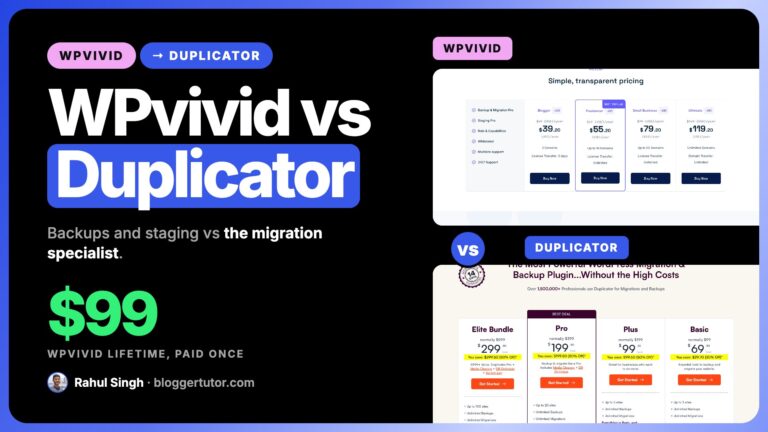
WPvivid and UpdraftPlus solve the same problem and charge for it very differently. UpdraftPlus was the safe default with three million installs, until TeamUpdraft was breached in October 2026. WPvivid is cheaper, includes staging on every paid plan, and is the only one of the two still selling a lifetime licence. I have run both, and this compares them on what you get free, what you pay, and where each one falls down.
WPvivid: 20% OFF Every Plan, Lifetime Included
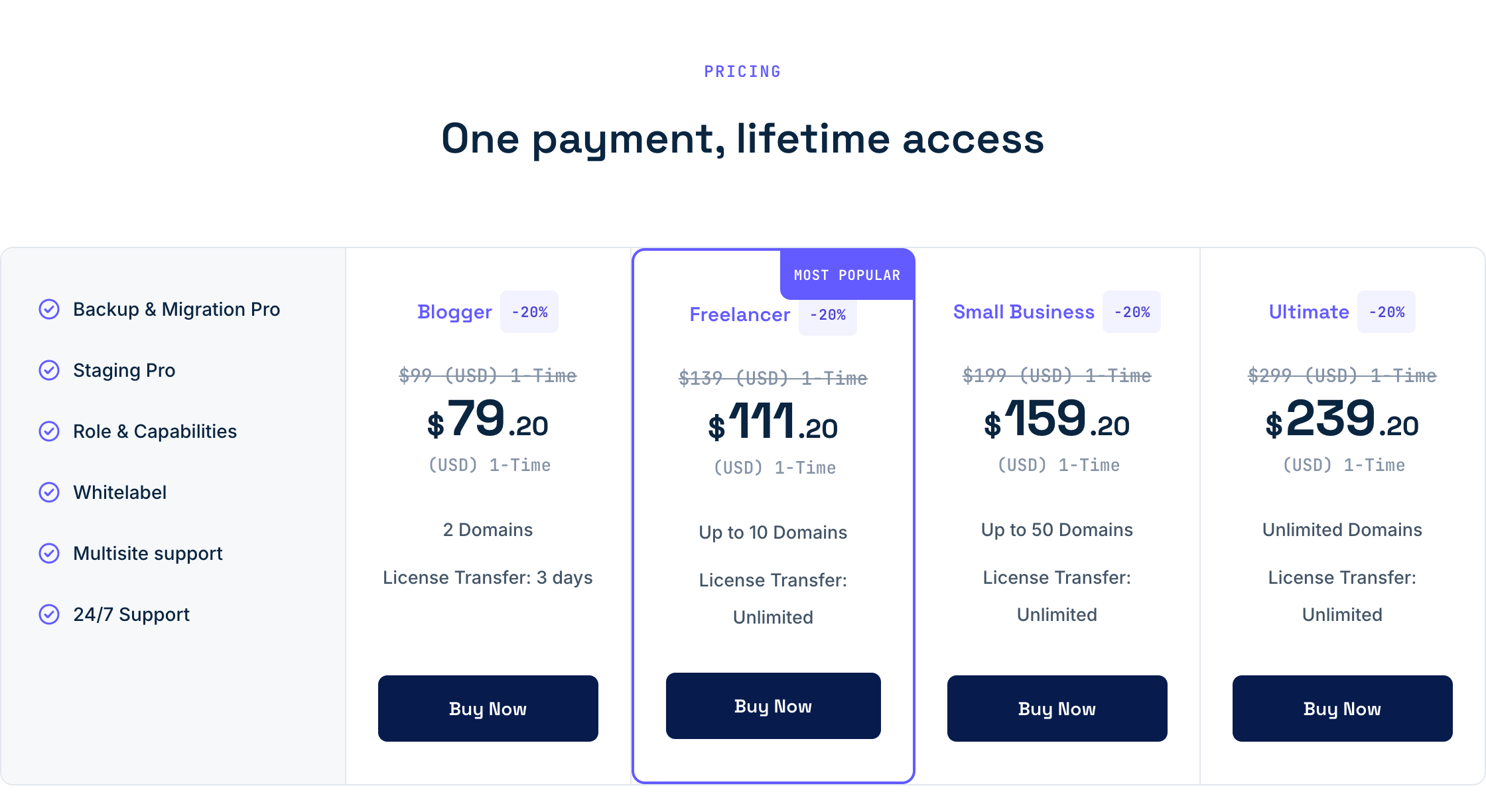
My reader code BLOGGERTUTOR20 takes 20% off every WPvivid plan, yearly and Lifetime, 365 days a year, and it works on top of any sale price WPvivid is running. Ultimate Lifetime at $239.20 once is the one I would buy: unlimited domains, for less than two years of the $149 yearly plan.
| Blogger, 2 domains, yearly | |
| Blogger, 2 domains, Lifetime | |
| Freelancer, 10 domains, Lifetime | |
| Small Business, 50 domains, Lifetime | |
| Ultimate, unlimited, Lifetime |
BLOGGERTUTOR20 is my reader code, so it has no end date. It stacks on top of WPvivid sale prices, and I will show the Black Friday price with the code here the day it opens.
The Short Answer
Updated 22 October 2026: TeamUpdraft, the company behind UpdraftPlus, was breached on 17 and 18 October, and stolen UpdraftCentral keys were used to plant backdoors on connected sites. Until it publishes a full report on how that happened, I am recommending WPvivid over UpdraftPlus for anyone buying today. The details are just below.
Pick WPvivid if you want staging included, you run several sites, or you would rather pay once. $49 a year against $70, $149 for unlimited sites against $195, and lifetime licences from $99 that UpdraftPlus does not offer at all. Every WPvivid yearly plan is 20% off right now, so Blogger is $39.20.
For one site that just needs reliable backups, the free version of either is enough and this whole comparison is academic. The decision only matters once you are paying.
What Changed in October 2026, the UpdraftPlus Breach
On 17 and 18 October 2026 an attacker got into TeamUpdraft's website and very likely took its customer database, including the connection keys for UpdraftCentral, UpdraftVault and UpdraftClone. TeamUpdraft has confirmed the incident. Because those keys are genuine, commands sent with them passed every check in the plugin, and Patchstack counted 99 different backdoor plugins pushed to connected sites from 18 October.
This was not a flaw in the backup engine, and a site that never connected to UpdraftCentral cloud was never reachable this way. It still changes my answer. The whole point of a backup plugin is that you can trust it after something goes wrong, and here the vendor's own systems were the way in. Nethemba also found the first emergency update, 1.26.12, did not remove the old keys, so the fix needed a second release, 1.26.13 free and 2.26.13 Premium.
Everything else in this comparison still holds, so read it as it is. Where I used to say UpdraftPlus for the most proven option, I now say WPvivid for most sites and Duplicator if you move sites around, until TeamUpdraft explains how this happened. If those two are now your shortlist, my WPvivid vs Duplicator comparison puts them head to head on price, staging and migrations. I rank all five options I would consider in my best WordPress backup plugins guide. If UpdraftPlus is on your site today, the clean up steps are on my Duplicator and UpdraftPlus page.
WPvivid vs UpdraftPlus at a Glance
| WPvivid | UpdraftPlus | |
|---|---|---|
| Active installs | 900,000 plus | 3 million plus |
| WordPress.org rating | 98 out of 100 from 1,565 reviews | 96 out of 100 from 8,650 reviews |
| Entry paid plan | $49 / year, 2 sites | $70 / year, 2 sites |
| Unlimited sites | $149 / year | $195 / year |
| Lifetime licence | Yes, $99 to $299 once | No |
| Staging | Free tier has subdirectory staging | Premium only, tiered by plan |
| Incremental backups | Pro | Premium |
| Multisite | Pro | Premium |
| Image optimisation | Included addon | Sold separately as WP-Optimize |
| Rollback before updates | Pro, versioned copies of each plugin, theme and core | Premium, automatic backup before updates |
| Database snapshots | Free, one click | No |
| Money back guarantee | 30 days | Varies by plan |
| Support | 24/7 ticket on paid plans | Premium support on paid plans |
The install gap is the one number in UpdraftPlus's favour I would not wave away. More installs means more tutorials, more forum answers and a better chance your host has seen your exact problem before. Do not dismiss that just because WPvivid scores higher.
The Free Versions, Where WPvivid Quietly Wins
Most people never pay for either plugin, so this is the comparison that decides it for the majority. Both free tiers cover manual and scheduled backups plus one click restore. The difference is in the details.
| Free feature | WPvivid Free | UpdraftPlus Free |
|---|---|---|
| Manual and scheduled backups | Yes | Yes |
| One click restore | Yes | Yes |
| Migration through upload | Yes | Yes |
| Auto migration between sites | Yes | No, Premium only |
| Google Drive, Dropbox, Amazon S3, FTP | Yes | Yes |
| Microsoft OneDrive | Yes | No, Premium only |
| SFTP | Yes | No, Premium only |
| DigitalOcean Spaces | Yes | No |
| Rackspace, DreamObjects, OpenStack, Email | No | Yes |
| Staging site | Yes, subdirectory | No |
| Backup retention rules | Basic | Basic |
| Backup before updates | No | No, Premium only |
| Incremental backups | No | No, Premium only |
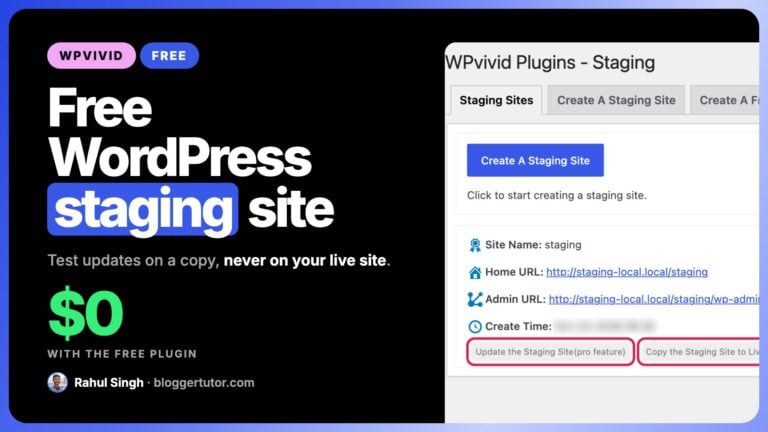
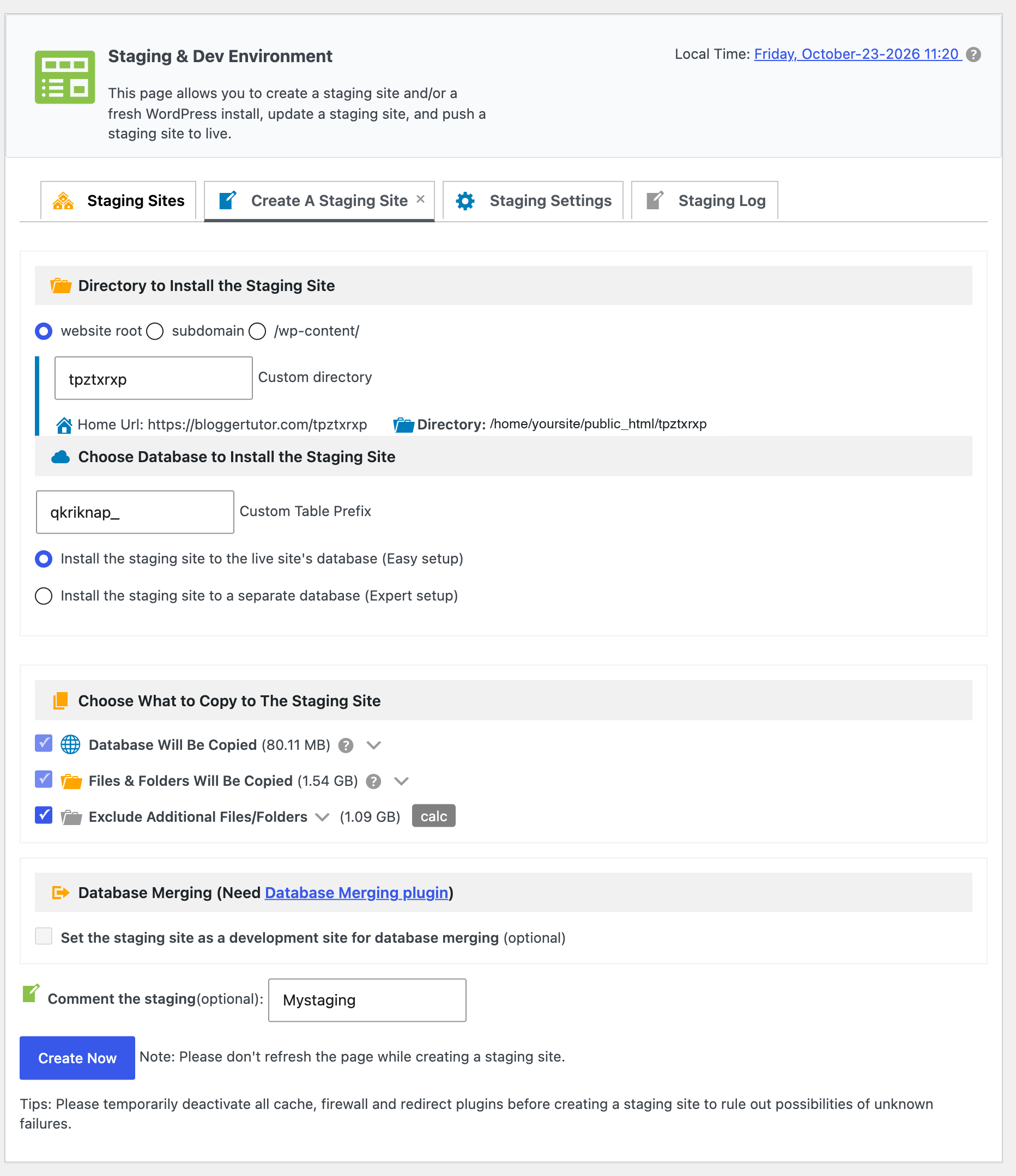
Free staging is the standout. UpdraftPlus has no staging at any free tier, while WPvivid will spin up a subdirectory copy of your site so you can test an update before it touches production. For a blogger who has ever broken a live site with a plugin update, that alone is worth the switch.
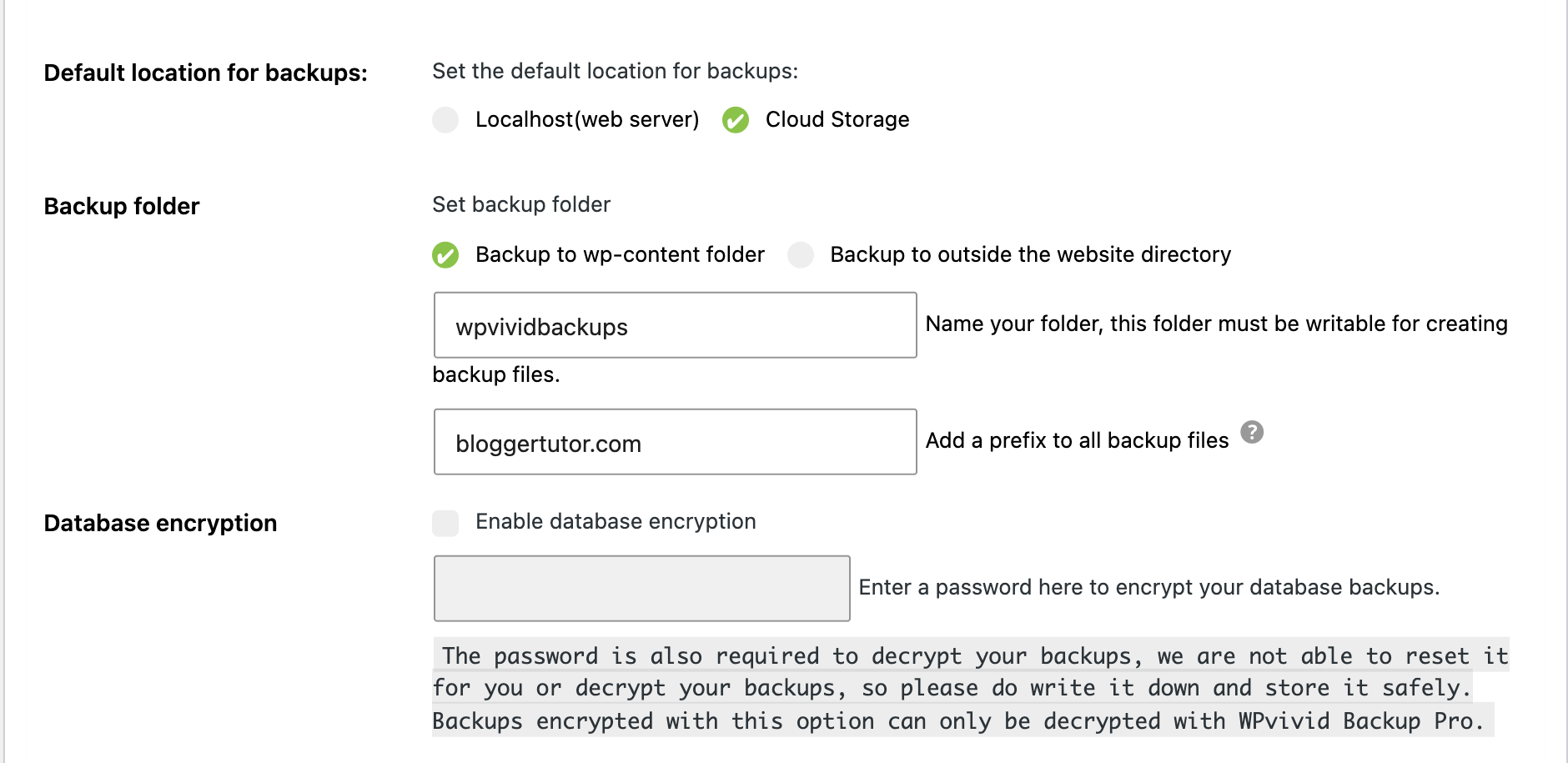
WPvivid free also includes OneDrive and SFTP, both of which UpdraftPlus keeps behind its $70 Premium wall. UpdraftPlus free covers more of the older or niche destinations instead, Rackspace, DreamObjects, OpenStack Swift and plain email. WPvivid has also spent 2026 hardening its storage side: Google Drive uploads resume after a dropped connection, stored cloud tokens and FTP passwords are encrypted, and local backups can live outside the public website folder.
What You Pay For
Both plugins put roughly the same features behind the paywall. The pricing model is what separates them.
| Plan size | WPvivid yearly | WPvivid lifetime | UpdraftPlus yearly |
|---|---|---|---|
| 2 sites | $49 | $99 once | $70 |
| 10 sites | $69 | $139 once | $95 |
| 35 to 50 sites | $99 (50 sites) | $199 once | $145 (35 sites) |
| Unlimited sites | $149 | $299 once | $195 |
The Lifetime Argument
Every WPvivid lifetime tier is priced at roughly two years of its own yearly plan. Against UpdraftPlus, the gap is wider still: $299 once for unlimited sites versus $195 every year. If you keep the site past year two, WPvivid lifetime has paid for itself and UpdraftPlus is still billing.
One caveat: lifetime means the lifetime of the product, not yours. You are betting on the company still being here. UpdraftPlus has been going since 2011 and is now part of TeamUpdraft alongside WP-Optimize and All-In-One Security, which is a reasonable argument for its longevity.
Where UpdraftPlus Is Genuinely Better
- Track record and scale. 3 million installs against 900,000, and 8,650 reviews against 1,565. When a backup fails at 2am, the odds someone has already documented your error are much higher.
- UpdraftCentral, with a big caveat. Managing backups across every site you own from one dashboard is useful, and WPvivid has no equivalent of its own, only an extension for MainWP. It is also exactly the channel attackers abused in October 2026 with keys stolen from TeamUpdraft, so if you use it, update to 1.26.13 or later and reconnect your sites with fresh keys.
- WP-CLI support. Premium runs from the command line, which matters if you script deployments.
- More storage destinations overall once you are paying: Azure, Google Cloud, Backblaze, pCloud, WebDAV, SCP and more.
- Backing up your backups. Premium sends the same backup to more than one remote location at once, which WPvivid does not do.
- The wider TeamUpdraft suite. WP-Optimize and All-In-One Security come from the same team, so one vendor covers backups, speed and security.

Where WPvivid Is Better
- Price at every tier, and a lifetime option UpdraftPlus simply does not sell.
- Staging in the free plugin, and multiple staging sites plus push to live on paid plans.
- Image optimisation bundled rather than sold as a separate plugin.
- Built in safety nets. Database snapshots before risky changes, versioned plugin rollback, and the Large Database and Large Uploads modes added in 2025 for big sites.
- OneDrive and SFTP free, both Premium features on UpdraftPlus.
- Cleaner interface. Subjective, but WPvivid puts backup, restore, migrate and stage on tabs rather than one long settings page.
- 30 day refund, clearly stated.
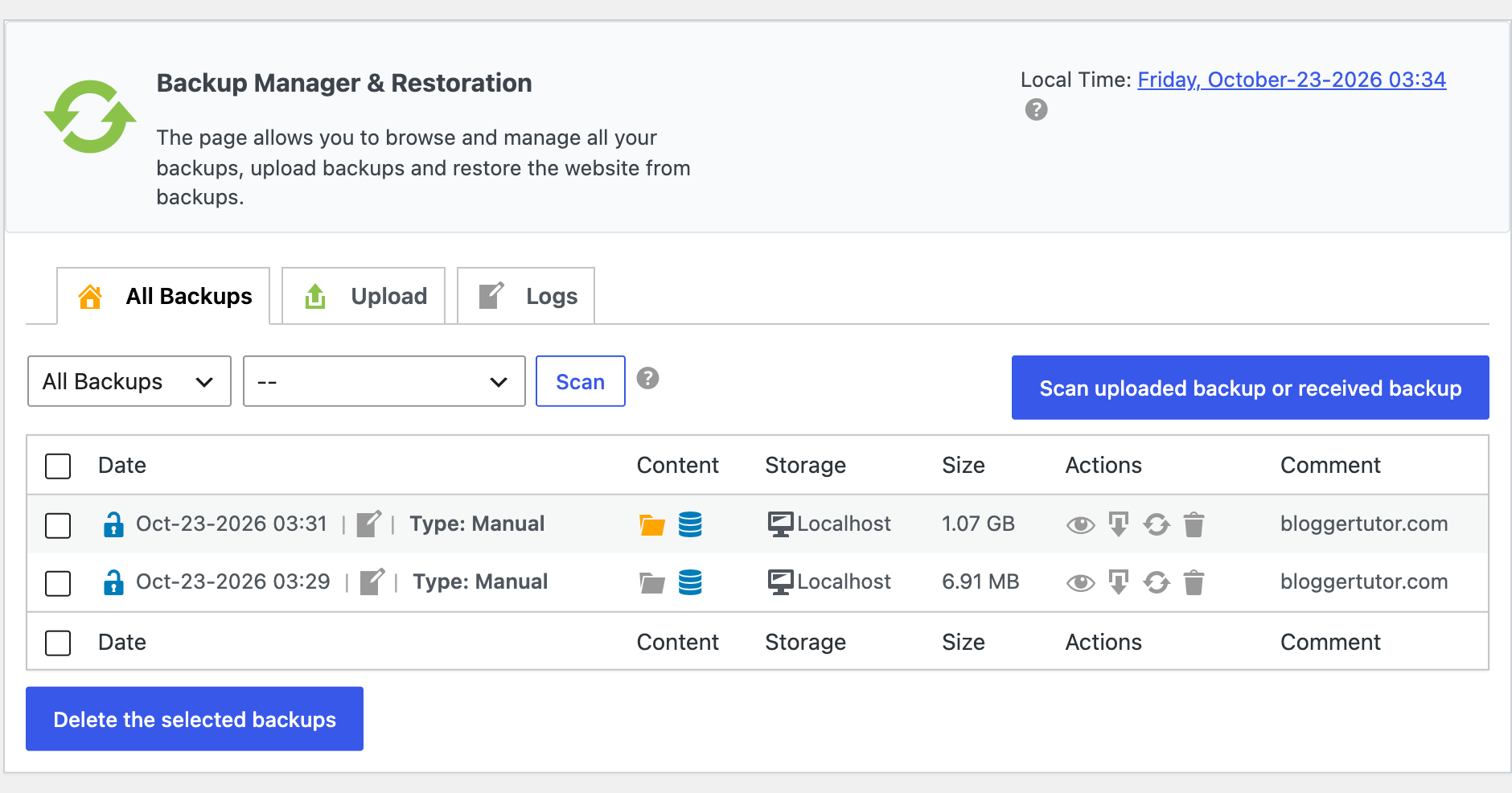
This is what a working backup history looks like on my own blog after the October 2026 re-test: a full files and database backup of 1.07 GB that finished in about two minutes, and a database only backup alongside it, both one click from a restore.
Which Should You Actually Install?
| If you are | Pick | Why |
|---|---|---|
| Running one blog, not paying | Either, lean WPvivid | Free staging and OneDrive tip it, but UpdraftPlus free is fine too |
| Wanting to test updates safely | WPvivid | Staging is free, UpdraftPlus has none |
| Running 5 or more sites | WPvivid | $149 unlimited against $195, or pay once |
| Managing client sites at scale | WPvivid, or Duplicator for client migrations | UpdraftCentral is the better dashboard, but it was the route used in the October 2026 attack |
| Scripting with WP-CLI | UpdraftPlus | WPvivid has no CLI support |
| Tired of yearly renewals | WPvivid | Lifetime from $99, UpdraftPlus is subscription only |
| Wanting the most documented choice | UpdraftPlus, later | 3 million installs, but wait for TeamUpdraft's incident report before buying |
What I Run
WPvivid, mainly for the lifetime licence and because staging is included. I re-tested it on this blog for this update, on WPvivid Pro 2.2.53, and it ran a full backup without a hitch. I keep UpdraftPlus free installed on one client site that the owner already knew how to use, which is a better reason to choose a plugin than most feature comparisons admit. If you run UpdraftPlus on any site you look after, go through the checklist on my Duplicator and UpdraftPlus page today.
WPvivid vs UpdraftPlus, Frequently Asked Questions
Which is better, WPvivid or UpdraftPlus?
WPvivid, for most people in 2026. It is cheaper at every tier, includes staging even on the free plugin, sells a lifetime licence and was not part of the October 2026 TeamUpdraft breach. UpdraftPlus still has the bigger community, but I would wait for TeamUpdraft's full incident report before buying it.
Is WPvivid free?
Yes. WPvivid free covers manual and scheduled backups, one click restore, migration, subdirectory staging and seven cloud destinations including OneDrive and SFTP. You pay for incremental backups, selective restore, multisite and 24/7 support.
Is UpdraftPlus free or paid?
Both. UpdraftPlus free handles manual and scheduled backups to Google Drive, Dropbox, Amazon S3, Rackspace, FTP and email, plus one click restore. Premium starts at $70 a year and adds incremental backups, backup before updates, site to site migration, multisite and more storage options.
Does UpdraftPlus have staging?
Only on Premium, and the staging level varies by tier. The free version has no staging at all. WPvivid includes subdirectory staging in its free plugin, which is one of the clearest practical differences between the two.
How much cheaper is WPvivid than UpdraftPlus?
About 30% at every tier. WPvivid is $49 a year for 2 sites against $70, and $149 for unlimited sites against $195. The bigger gap is the lifetime option: $299 once for unlimited WPvivid sites, where UpdraftPlus would bill $195 every year.
Can I switch from UpdraftPlus to WPvivid?
Yes, but not by importing settings, since there is no direct migration path between them. Take a fresh backup with the new plugin, verify you can restore it on a staging site, then remove the old plugin. Do not delete existing UpdraftPlus backups until you have confirmed the new ones work.
Can I run both plugins at once?
You can, and briefly it is sensible while you verify the new one works. Do not leave both running schedules long term, since two full backups on the same cron will slow the site and fill your storage twice over.
Which is better for migrating a site to a new host?
Both do it well. WPvivid has auto migration in the free version, where UpdraftPlus keeps direct site to site migration in Premium. If migration is the main job and you are not paying, WPvivid free is the more capable of the two.
Does WPvivid or UpdraftPlus slow down WordPress?
Neither meaningfully, because backups run on cron rather than on page loads. What does hurt is scheduling full backups too often on a large site. Use incremental backups on either plugin once your site is big enough to notice.
Is the WPvivid lifetime deal worth it over UpdraftPlus?
On cost, yes, if you keep the site more than two years. The risk is that lifetime means the lifetime of the product rather than yours, so you are betting on the company. UpdraftPlus has been going since 2011, which is a fair counterargument.
Which has better support?
UpdraftPlus in practice, simply because the community is larger and more problems are already documented. On paid plans both offer direct support, WPvivid as 24/7 tickets and UpdraftPlus as premium support.
What about Duplicator?
Duplicator is my second pick after WPvivid, and the best of the three at migration and cloning specifically. It is subscription only like UpdraftPlus, and its Black Friday discount runs much deeper than either of these two.
Was UpdraftPlus hacked in October 2026?
The plugin code was not hacked, the company was. TeamUpdraft confirmed unauthorised access to its website on 17 and 18 October 2026, and the stolen UpdraftCentral keys were used to install backdoor plugins on connected sites. Update to UpdraftPlus 1.26.13 or 2.26.13, delete old UpdraftCentral keys and check your plugin list for anything you did not install.
More Backup Plugin Guides on Blogger Tutor
- WPvivid Review, Features and Honest Comparison
- WPvivid Black Friday, Dates, Discount and Best Price
- WPvivid vs Duplicator, Which Backup Plugin Should You Buy?
- Duplicator and UpdraftPlus Black Friday Deals
- Best WordPress Backup Plugins, 5 I Trust After the UpdraftPlus Breach
- Every WordPress Plugin Black Friday Deal
Disclosure: I earn a commission if you buy either plugin through the links on this page, at no extra cost to you, and I earn more from WPvivid. Both have capable free versions and I have said plainly where UpdraftPlus is the better tool. Pricing and feature tables verified against wpvivid.com and teamupdraft.com on 22 October 2026. You can read exactly how I test, verify and update everything on this site.