The Short Answer
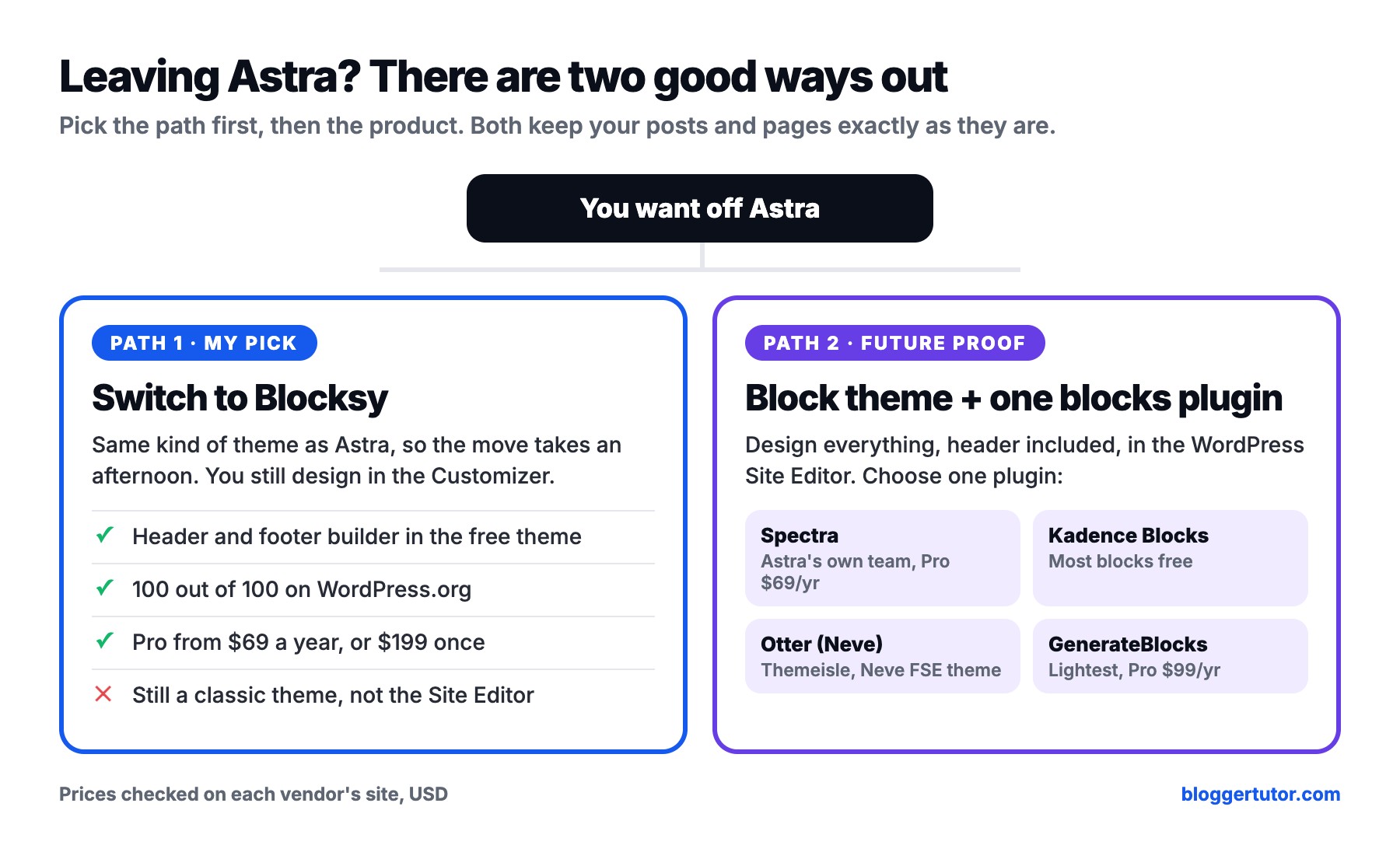
The best Astra theme alternative for most sites is Blocksy. It is the same kind of theme, so moving over takes an afternoon, the header and footer builder is free, and it is the only big theme on WordPress.org with a perfect 100 out of 100 rating. It is also the theme running bloggertutor.com right now.
If you would rather leave classic themes behind, pick a block theme for the WordPress Site Editor and add one blocks plugin: Spectra, Kadence Blocks, Otter Blocks from the Neve team, or GenerateBlocks. Each one is free to start.
I built sites on Astra for years. It is a solid theme with a huge user base, and I still say so in my full Astra review. But every time I set up a new site, I noticed I was fighting the theme more than using it: closing upsells for AI bundles, paying for features other themes give away, and designing in the Customizer while WordPress itself was moving to the Site Editor.
You will not find twenty random themes here. There are two good ways out of Astra, and I will show you both with real prices, real WordPress.org numbers and the exact steps I follow when I move a site.
Why People Look for an Astra Theme Alternative
Astra is not a bad theme. It has over 1 million active installs and a 98 out of 100 rating on WordPress.org. People leave for reasons that have more to do with direction and money than with code quality:
- The pricing page now leads with AI bundles. Astra Pro + AI is $99 for the first year and renews at $149. The Essential Toolkit is $199 and renews at $299. Plain Astra Pro still exists at $69 a year for 3 sites, but you have to scroll past the bundles to find it.
- The free theme keeps the best layout options for Pro. Advanced headers, mega menus, custom layouts and hooks all sit in the Astra Pro addon.
- Its block plugin was split in two. Brainstorm Force, the company behind Astra, renamed Spectra to Spectra Legacy in July 2026 and moved all new work to a separate Spectra Blocks plugin. Your pages keep working, but you now have a migration to plan.
- It is a Customizer theme in a Site Editor world. WordPress has been moving theme design into blocks for years. Astra still does most of its work in the old Customizer.
- Trust. In 2020 WordPress.org briefly suspended Astra over affiliate links the theme added to other products. It was reinstated, but some people never forgot it.
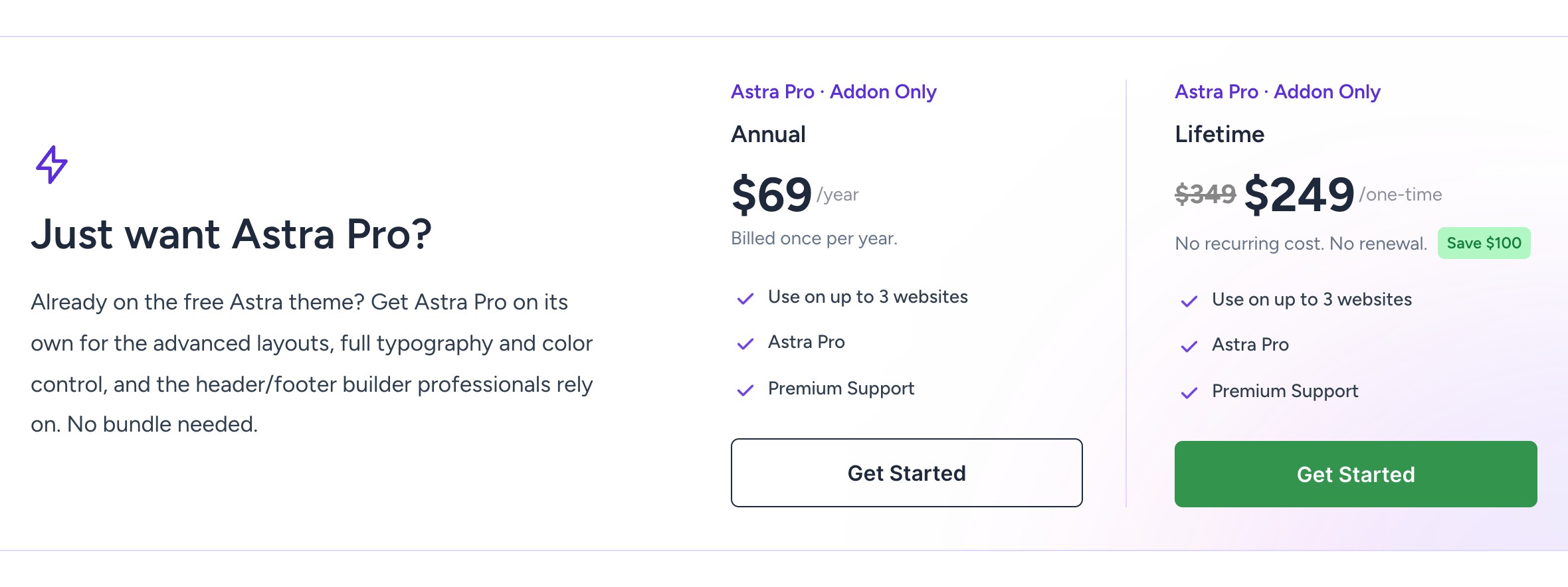
Astra's own pricing page today. If you only need Astra Pro, this is the number to compare against: $69 a year or $249 once, for up to 3 websites. Keep it in mind for the cost comparison further down.
Astra Alternatives at a Glance
| Option | Type | Free version | Premium from | WordPress.org rating |
|---|---|---|---|---|
| Blocksy | Classic theme, block first | Yes, with header and footer builder | $69/yr or $199 once | 100/100 (873 ratings) |
| Block theme + Spectra | Site Editor + blocks | Yes | Spectra Pro $69/yr, 3 sites | 94/100 Legacy, 92/100 new |
| Block theme + Kadence Blocks | Site Editor + blocks | Yes, the strongest free set | $350/yr bundle, 1 site | 96/100 (332 ratings) |
| Neve FSE + Otter Blocks | Site Editor + blocks | Yes | Otter Pro only in Neve Agency | 94/100 (250 ratings) |
| Block theme + GenerateBlocks | Site Editor + blocks | Yes, lightweight | $99/yr, up to 500 sites | 98/100 (122 ratings) |
| Astra, for reference | Classic, Customizer | Yes | $69/yr, 3 sites | 98/100 (6,546 ratings) |
1. Blocksy, the Best Astra Theme Alternative
Blocksy is a classic theme like Astra, and that is why it is my first pick. You keep the Customizer workflow you already know, your posts and pages stay untouched, and you get a cleaner, faster theme that was built around the block editor from day one. I run it on this site, and when I build client sites with my team it is the theme I reach for first.
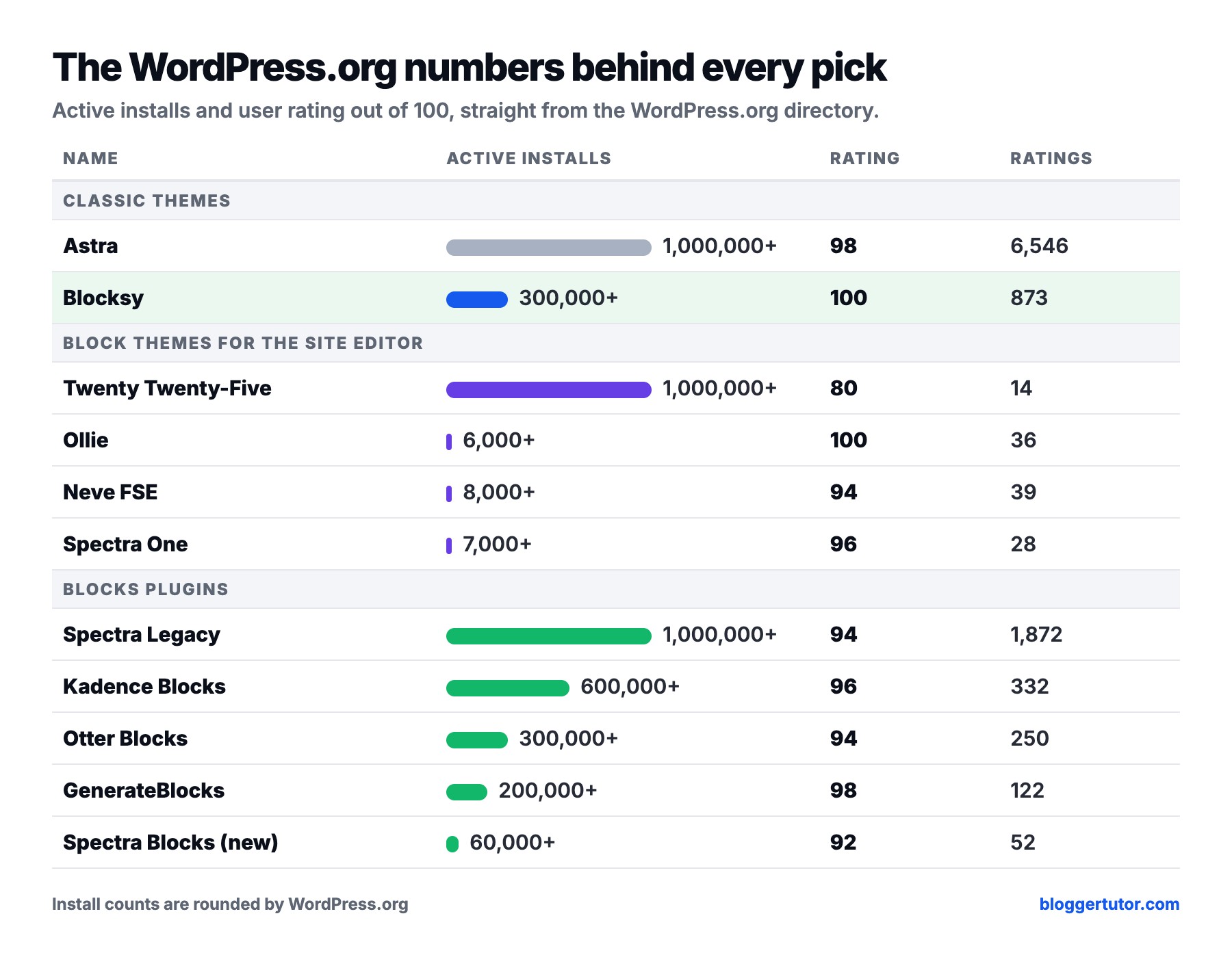
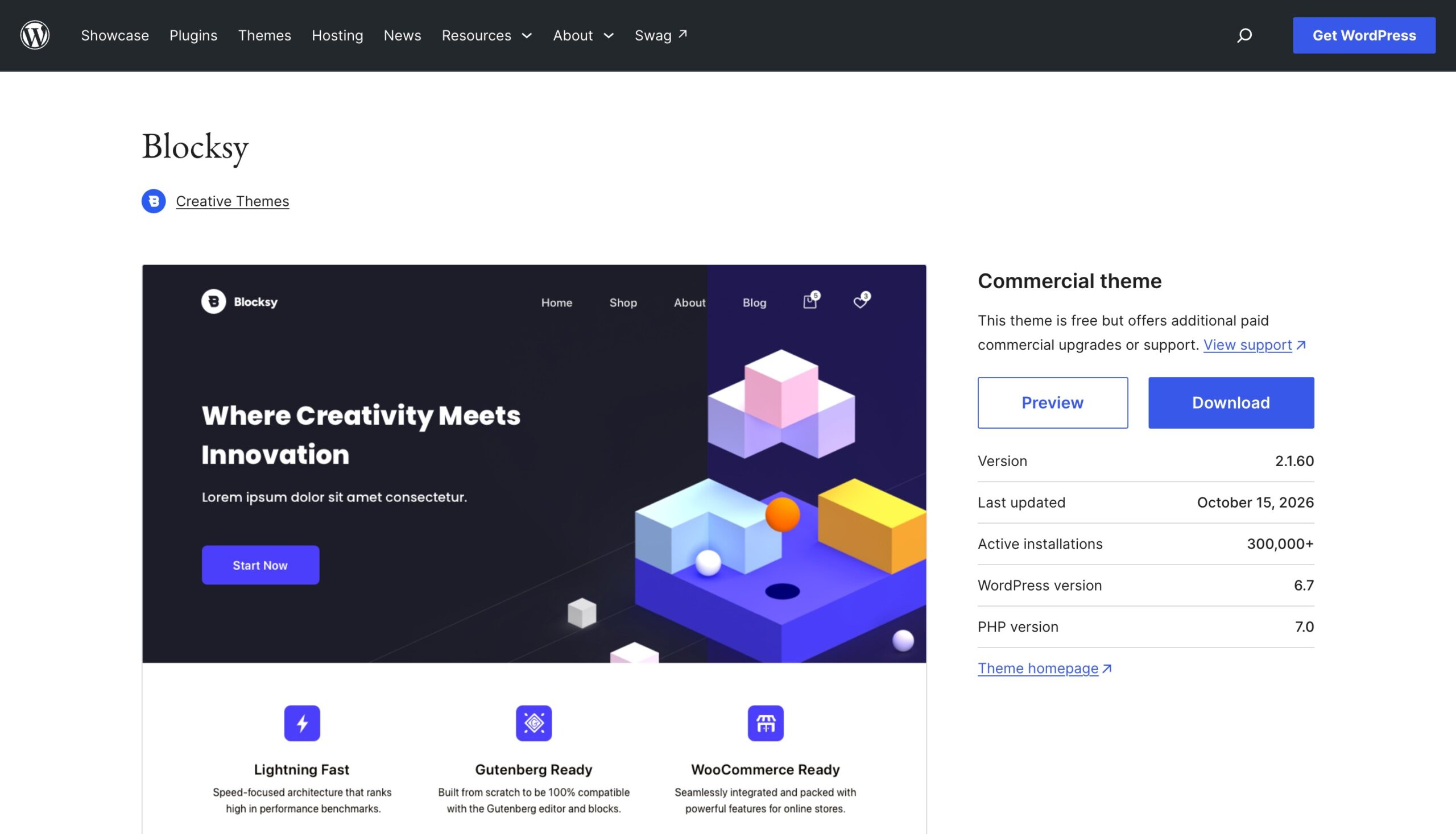
Blocksy has over 300,000 active installs and is rated 100 out of 100 from 873 reviews on WordPress.org, the only theme of this size with a perfect score. It was last updated on 15 October 2026, so it is actively maintained.
What Blocksy gives you for free
Blocksy beats Astra most clearly on the free version. The free theme plus the free Blocksy Companion plugin covers what most blogs and business sites need:
- Drag and drop header and footer builder, including transparent and sticky headers.
- Global colour palette and typography, with Google Fonts.
- Starter sites you can import in a few clicks through Blocksy Companion.
- WooCommerce support with shop and single product page layouts.
- Blog modules such as related posts, trending posts, a Mailchimp subscribe box and a cookie notice, without extra plugins.
- Custom post type support, so a recipe, portfolio or review post type gets its own layout.
What Blocksy Pro adds
- Content Blocks, Blocksy's version of hooks, to place any block content anywhere in the theme.
- Multiple conditional headers and footers, for example a different header on the shop.
- Mega menus, custom fonts, Adobe Fonts and locally hosted Google Fonts.
- Pro starter sites, plus the Shop Extra and Post Types Extra features on the Business and Agency plans.
| Plan | Sites | Yearly | Lifetime |
|---|---|---|---|
| Personal | 1 | $69 | $199 once |
| Business | 10 | $99 | $299 once |
| Agency | Unlimited | $149 | $499 once |
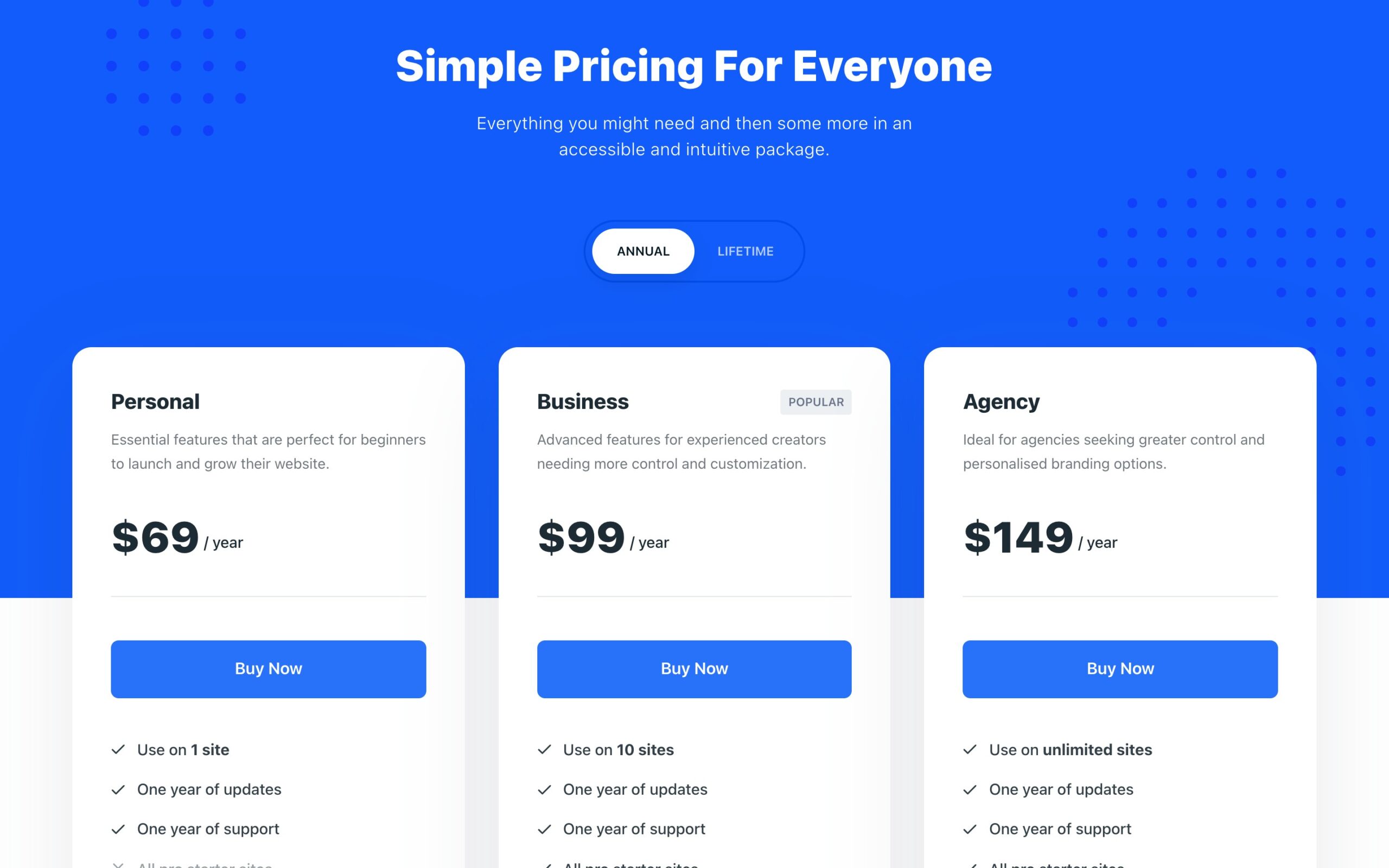
Blocksy does not use a cheap first year to hook you. The yearly price is the price, and the lifetime plan pays for itself in about three years. For a single site I would take the $199 lifetime plan.
How I move a site from Astra to Blocksy
Switching themes never deletes posts, pages or media. What does not carry over is the theme's own design settings, so the job is rebuilding the header, footer, colours and fonts. This is the order I work in:
- Back up the site first. Any plugin from my backup plugin guide will do, or your host's own backup.
- Write down your Astra design. Take screenshots of the header, footer, colours and fonts, and note any pages where you hid the title or sidebar through Astra's page settings.
- Install Blocksy and Blocksy Companion, then use Live Preview under Appearance, Themes before you activate anything.
- Activate Blocksy and rebuild the header and footer in its builder. Set the global colour palette and fonts once, and every page picks them up.
- Recheck pages that used Astra features, such as Astra Pro custom layouts, which become Blocksy Content Blocks. Spectra blocks keep working because Spectra is a separate plugin.
- Remove the Astra Pro addon and any Astra-only helper plugins once nothing depends on them.
- Clear your cache and test on mobile, then run a PageSpeed test on your home page and one long post.
On a typical blog this takes me one to three hours. Elementor users can switch too: Blocksy works with Elementor, so your Elementor pages keep rendering.
My verdict on Blocksy
4.7 out of 5 ★★★★★
The closest thing to a better Astra. Same workflow, more in the free theme, a perfect WordPress.org rating and honest pricing with a lifetime option.
What works
- Header and footer builder included in the free theme
- Rated 100 out of 100 from 873 reviews on WordPress.org
- Pro from $69 a year with no first year trick, or $199 once
- Built for the block editor, works with Elementor too
What does not
- Still a classic Customizer theme, not a Site Editor theme
- Personal licence covers only 1 site, Astra Pro covers 3
- Smaller community and fewer tutorials than Astra
I go deeper on features in my Blocksy theme review and compare it head to head with Kadence in Kadence vs Blocksy.
2. A Block Theme with the Site Editor, the Future Proof Astra Alternative
The second way out of Astra is to stop using a classic theme at all. A block theme, also called a full site editing or FSE theme, lets you design every part of the site in the WordPress Site Editor with blocks: the header, footer, archive pages, single post template and global styles. There is no Customizer and nothing to rebuild when WordPress changes direction, because this is the direction.
You open it under Appearance, Editor. From there you edit templates, patterns, navigation and site-wide styles in one place.
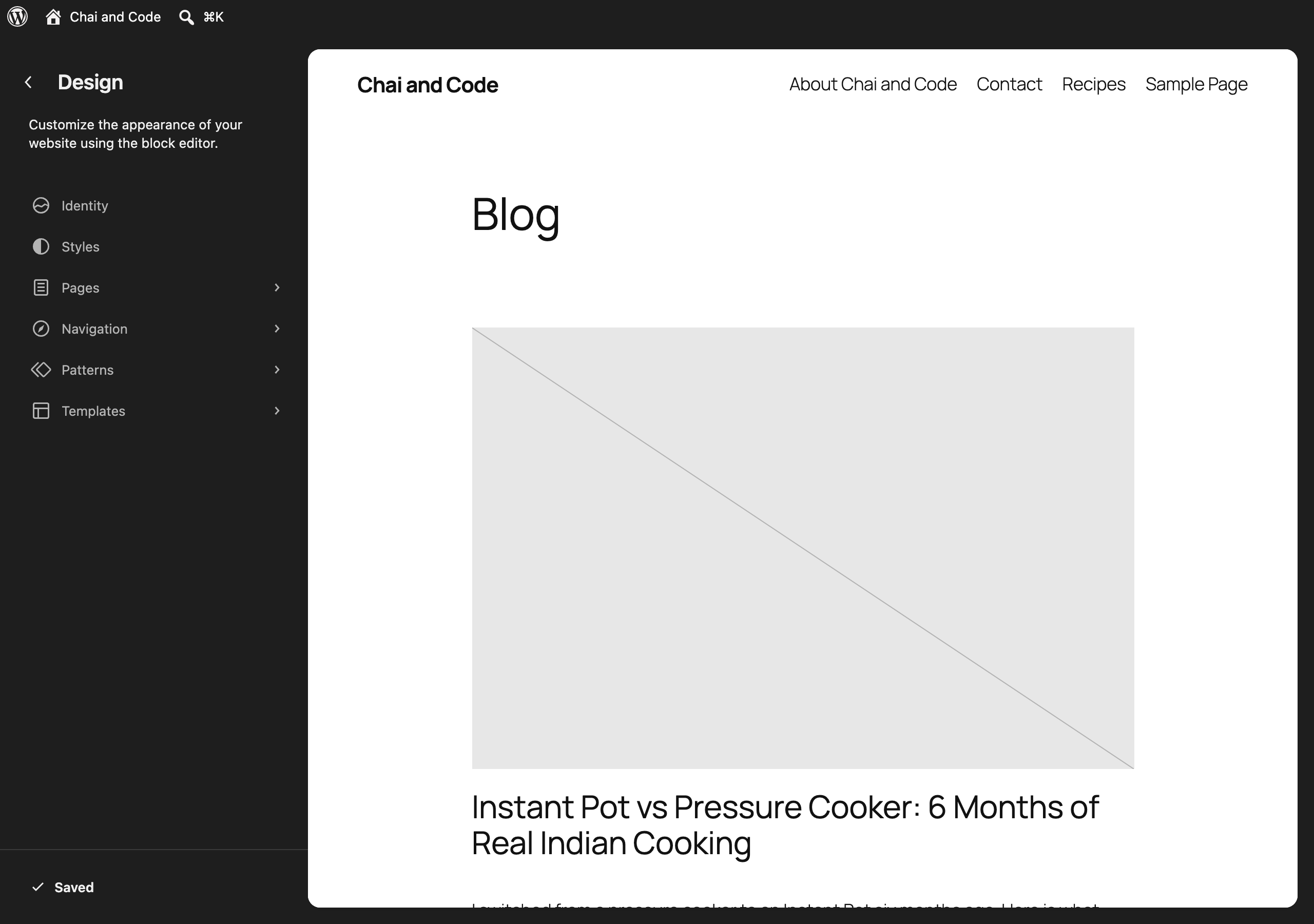
The price is your evenings: the Site Editor takes a few of them to learn, and core blocks alone are basic. That is why this path has two parts, a lean block theme and one blocks plugin for the advanced blocks. Never install two blocks plugins on the same site; you load two sets of CSS for no gain.
Step one: pick a block theme
| Block theme | Why pick it | Installs | Rating |
|---|---|---|---|
| Twenty Twenty-Five | WordPress's own default theme, maintained by the core team | 1,000,000+ | 80/100 (14) |
| Ollie | The most polished free patterns and 23 style variations | 6,000+ | 100/100 (36) |
| Spectra One | Made by the Astra team to pair with Spectra | 7,000+ | 96/100 (28) |
| Neve FSE | Themeisle's block theme, pairs with Otter Blocks | 8,000+ | 94/100 (39) |
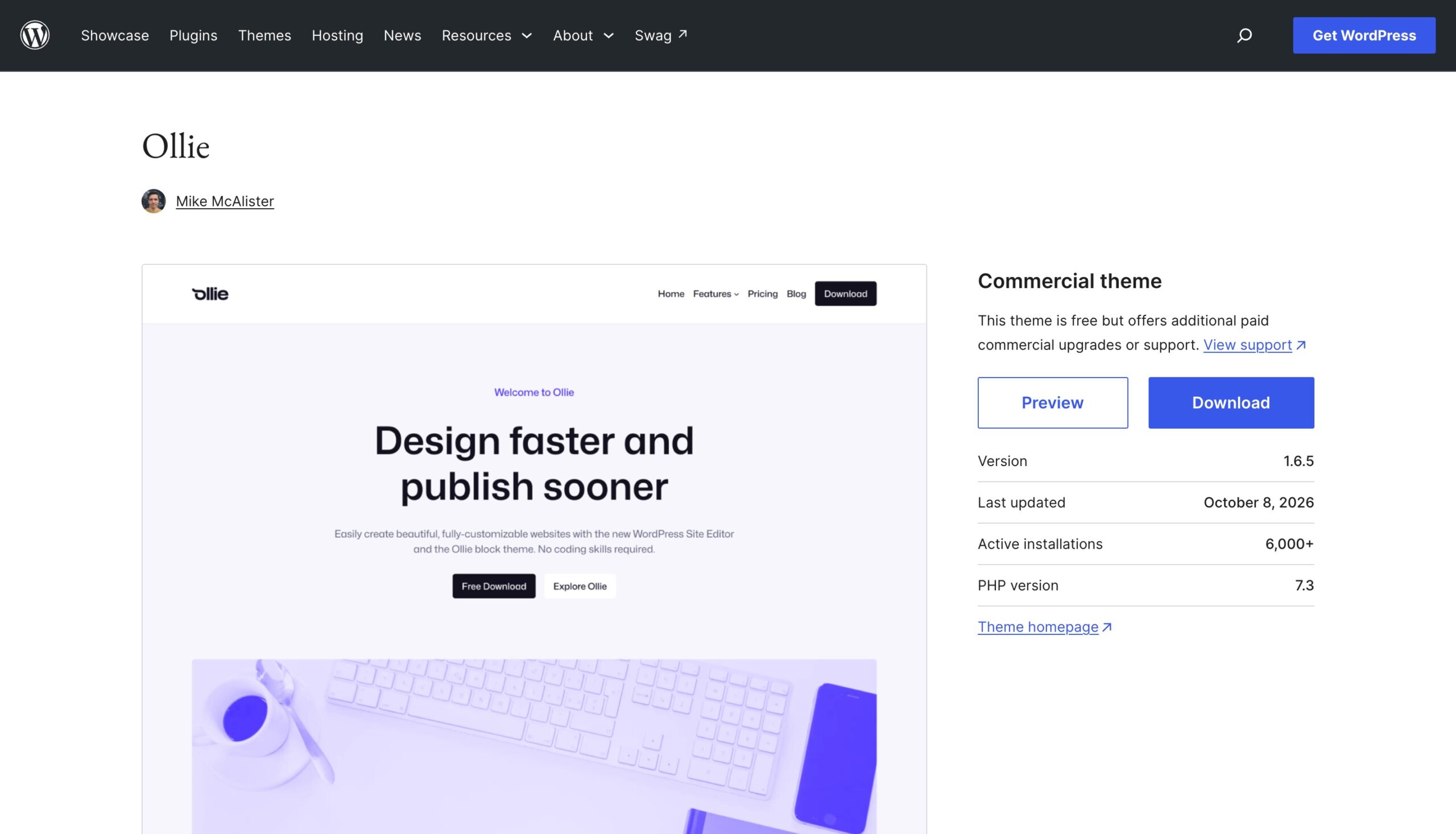
If you have never used the Site Editor, start with Ollie. Its patterns are the closest thing to an Astra starter template, and you can switch the whole site's look with one style variation. Twenty Twenty-Five is the safe default if you want zero third-party code.
Step two: add one blocks plugin
This is where Spectra, Kadence, Neve and GenerateBlocks come in. All four work with any block theme. Here is how they compare before I go through each one:
| Plugin | Best for | Free version | Pro price | Pro sites | Refund |
|---|---|---|---|---|---|
| Spectra | Astra users who want a familiar feel | Yes | $69/yr | 3 | 14 days |
| Kadence Blocks | The best free block set | Yes | $350/yr bundle | 1 | 7 days |
| Otter Blocks | Neve users | Yes | Neve Agency $259 first year | Unlimited | 30 days |
| GenerateBlocks | Speed and clean markup | Yes | $99/yr | Up to 500 | 30 days |
Spectra, the Easiest Move for Astra Users
Spectra comes from Brainstorm Force, the same company as Astra, so its settings and starter templates will feel familiar. It is the natural choice if you liked Astra's design library but want a block theme underneath.
Know which Spectra you are installing. The original plugin, now called Spectra Legacy, still has over 1 million installs and a 94 out of 100 rating, but it only gets security and compatibility updates. New development happens in Spectra Blocks, a rebuild on WordPress's modern core block APIs, with over 60,000 installs and 92 out of 100 so far. On a new site, install Spectra Blocks only.
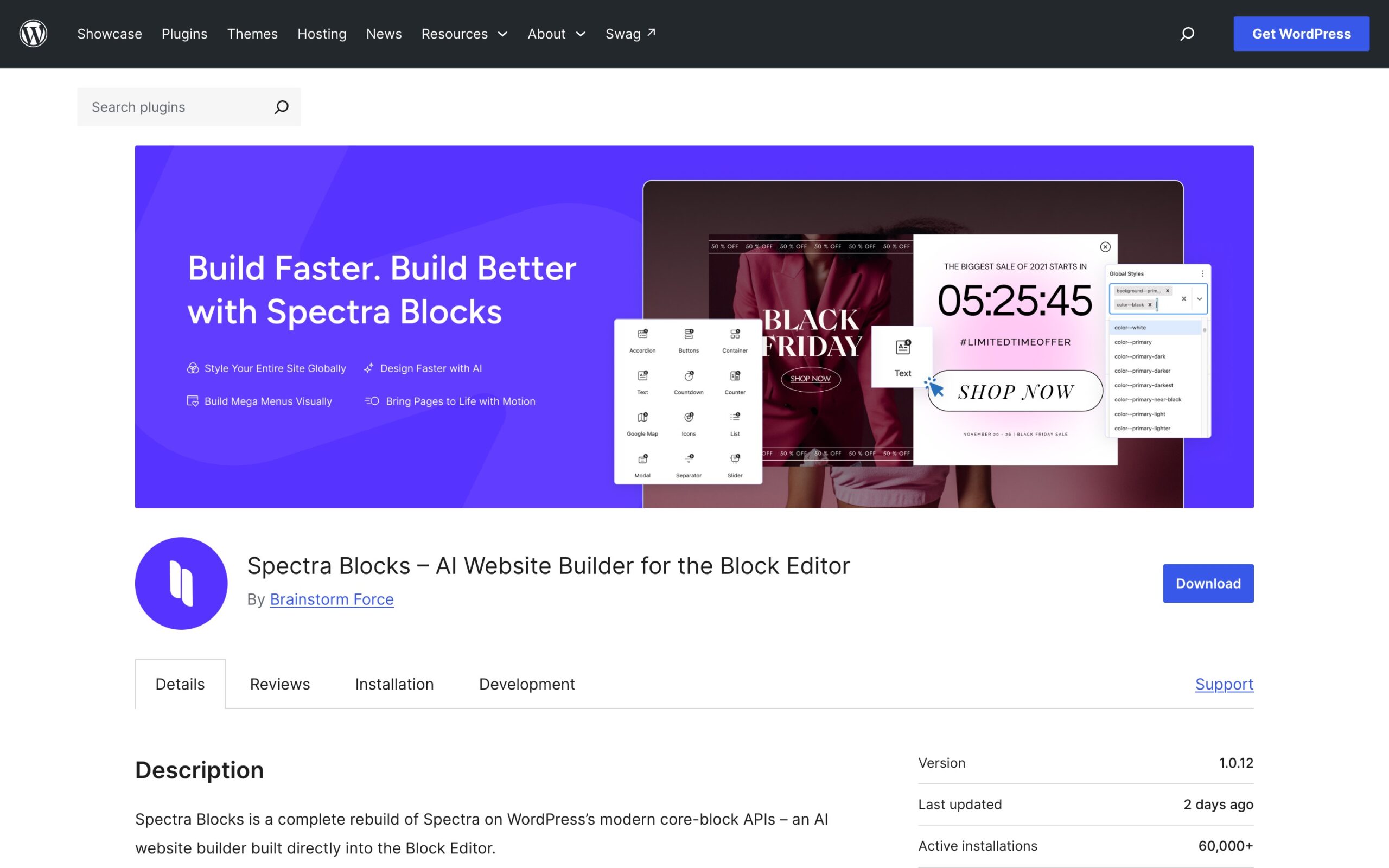
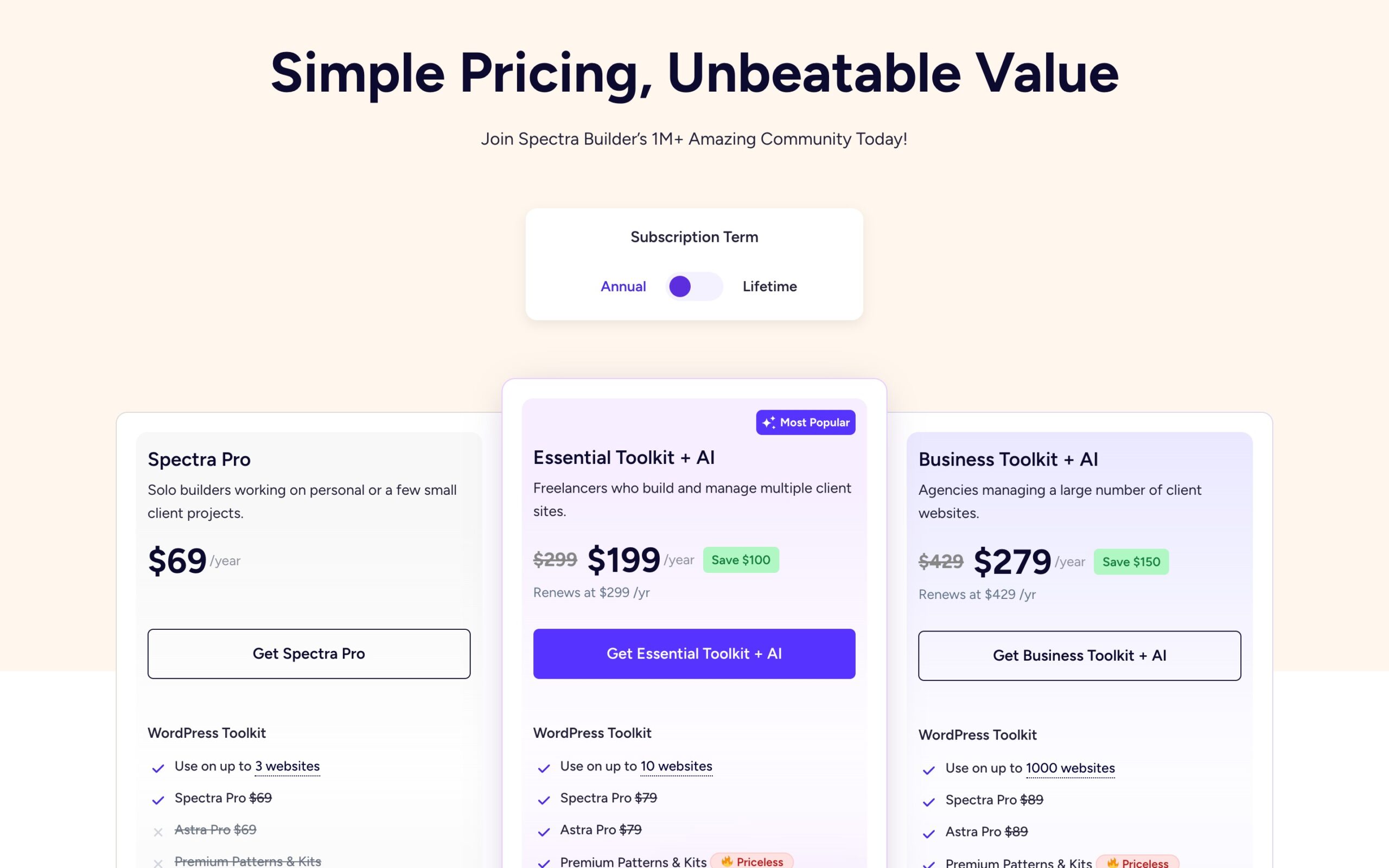
Spectra Pro costs $69 a year for 3 sites and renews at the same price. The toolkits that add AI site building start at $199 and renew at $299, which I would skip unless you build sites for clients.
My full Spectra Blocks review tests every block.
Kadence Blocks, the Strongest Free Toolkit
Kadence Blocks is the plugin I would install if you never plan to pay. The free version has over 600,000 installs, a 96 out of 100 rating on WordPress.org, and covers rows and columns, advanced headings, buttons, tabs, accordions, icon lists, forms and image galleries. This page is built with Kadence Blocks.
Pro is where Kadence has changed. It is now sold only inside a bundle with Give, The Events Calendar and LearnDash, at $350 a year for one site, $599 for 10 and $999 for 100, with a 7 day guarantee. That is excellent value if you need those plugins and very poor value if you only want extra blocks.
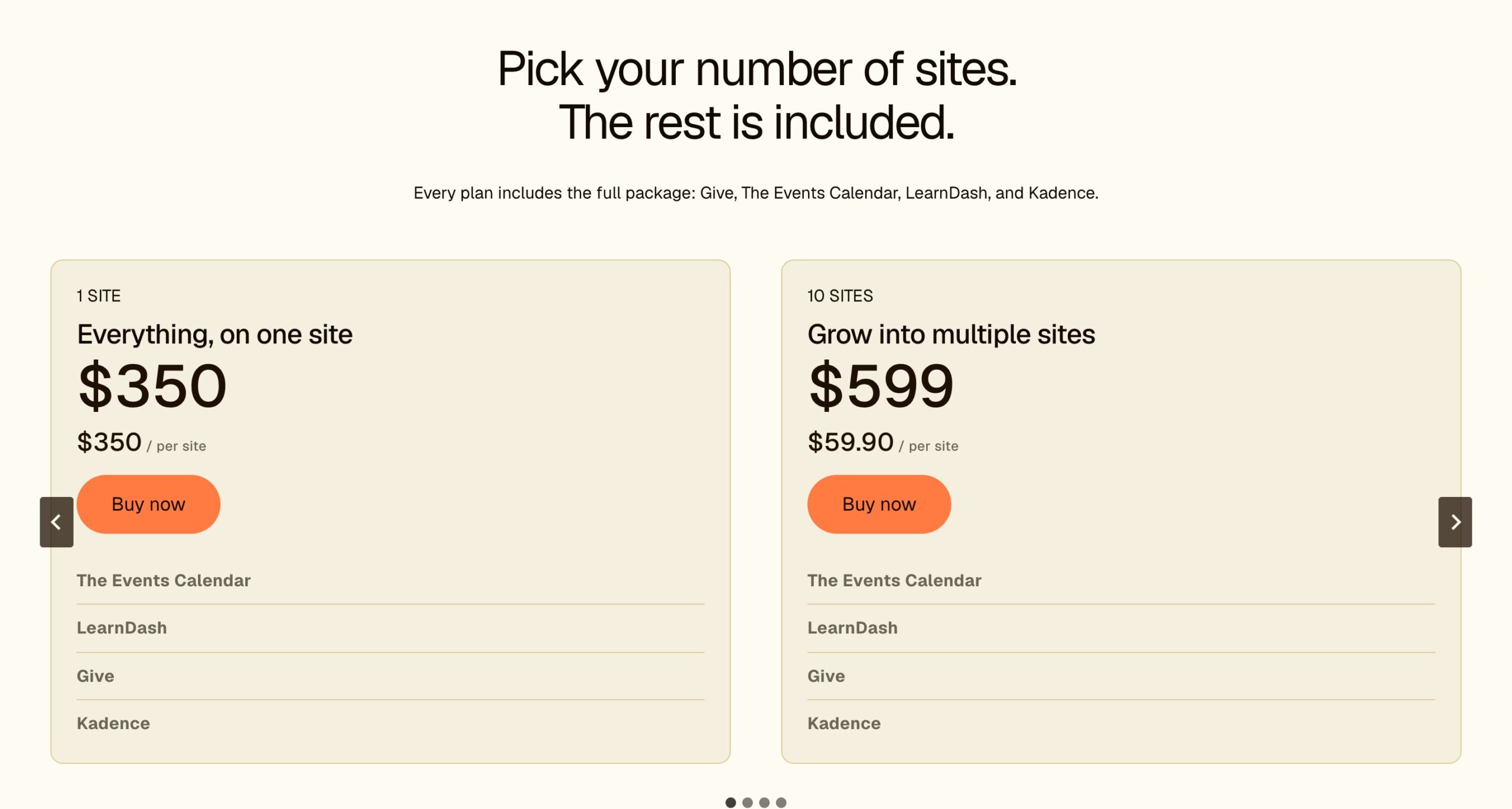
Use Kadence Blocks free with any block theme and only buy the bundle if you need courses, events or donations. My Kadence Blocks free vs Pro breakdown shows exactly which blocks you would be missing, and Kadence Blocks vs Spectra compares the two block by block.
Neve FSE and Otter Blocks, the Themeisle Pair
Themeisle makes the classic Neve theme, with over 200,000 installs and 94 out of 100, plus a block theme called Neve FSE and the Otter Blocks plugin, with over 300,000 installs and 94 out of 100. Neve FSE plus Otter is a complete, free Site Editor setup from one company.
Pricing is where this pair loses me. Neve Pro looks cheap at $69 for the first year, but it renews at $139, and Otter Blocks Pro is only included in the Agency plan at $259 for the first year, renewing at $519. All Neve plans cover unlimited sites and come with a 30 day refund.
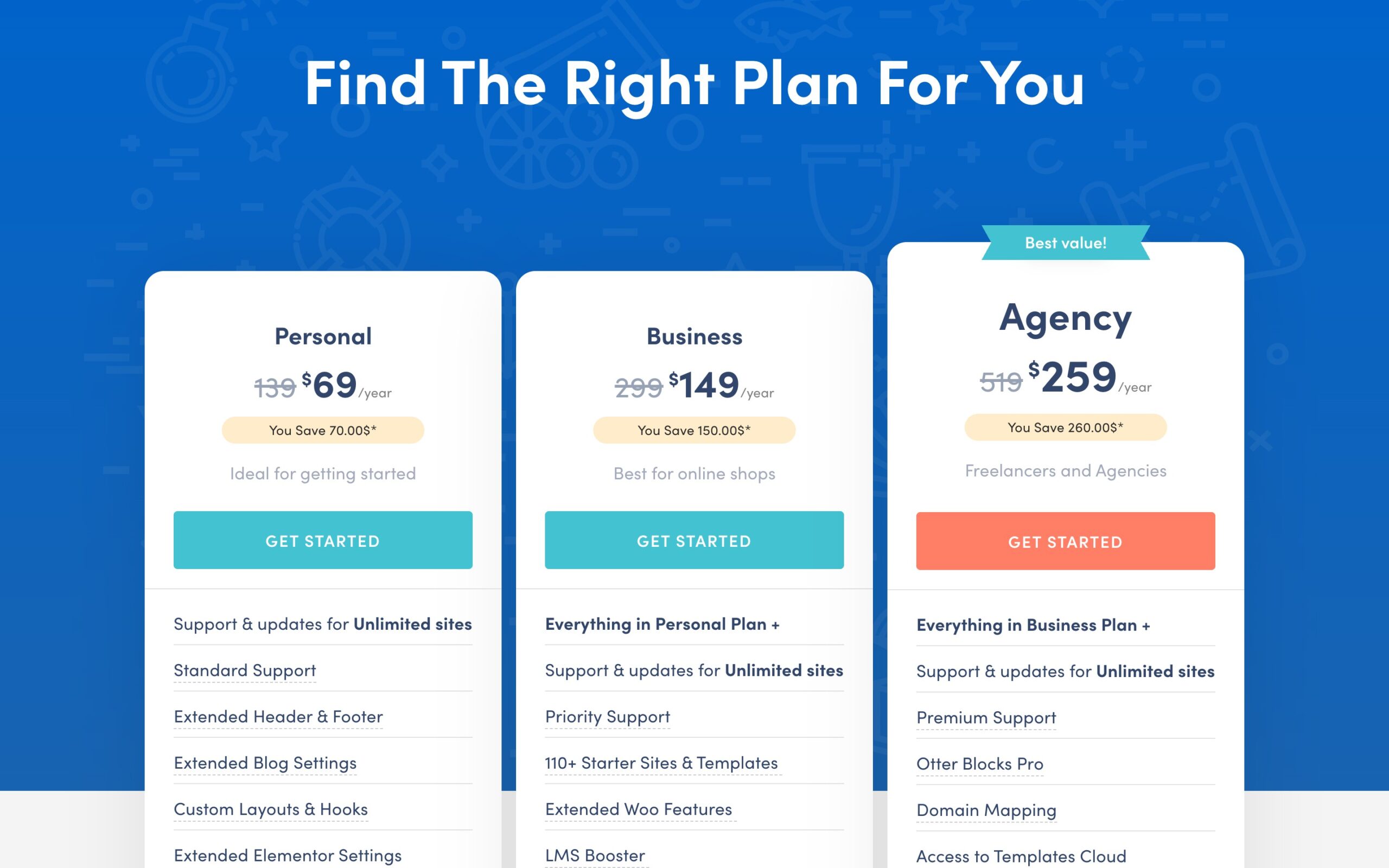
I would choose this pair only if you already know Neve. For a fresh start, the other three are simpler to price. See Neve pricing.
GenerateBlocks, the Lightest Option
GenerateBlocks takes the opposite approach to Spectra and Kadence. Instead of dozens of blocks, it gives you a handful of building blocks, mainly containers, text, buttons, images, grids and query loops, and lets you build anything from them. The output is some of the cleanest markup you will find, which is why developers and speed-focused bloggers love it.
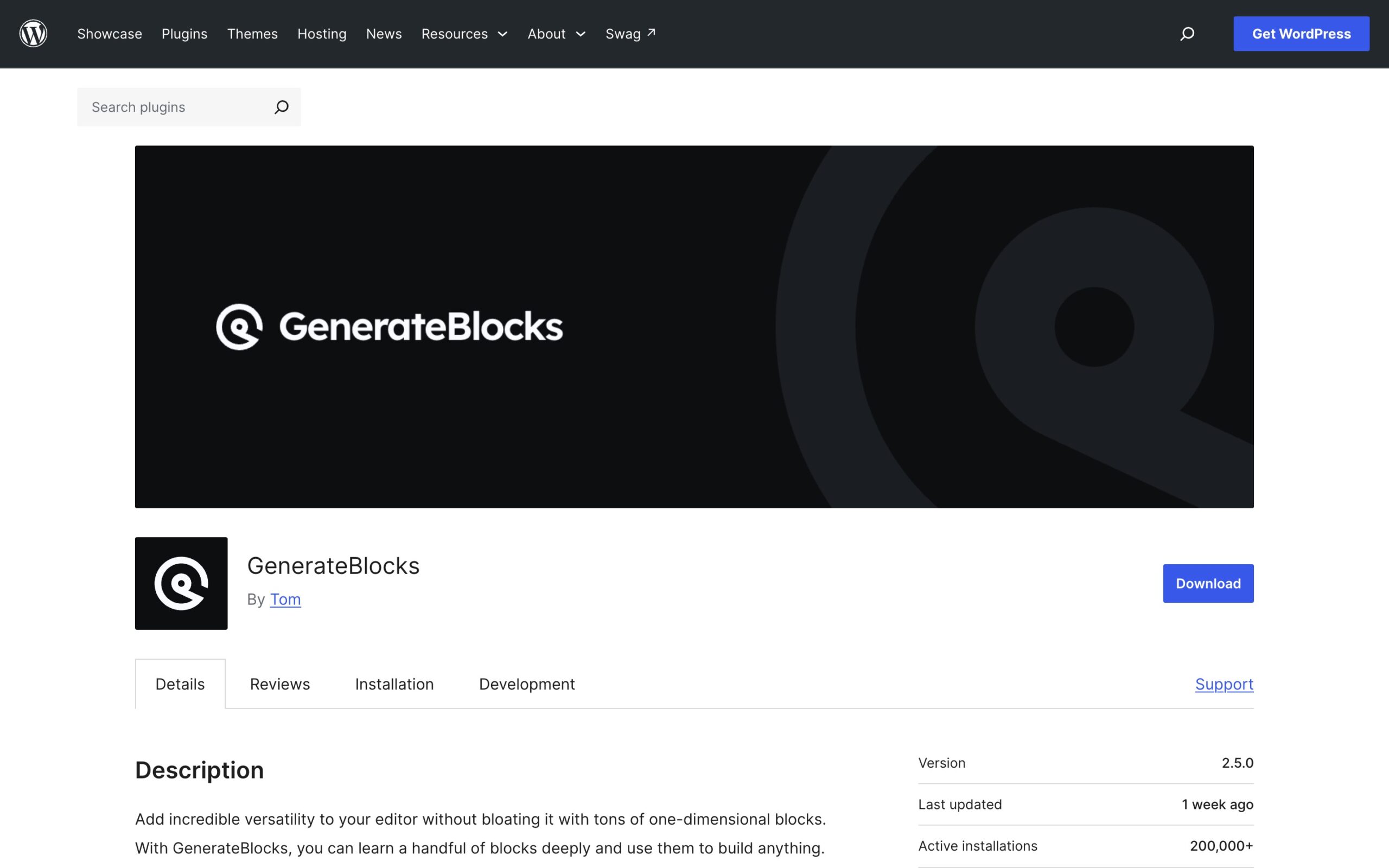
It has over 200,000 installs and a 98 out of 100 rating on WordPress.org.
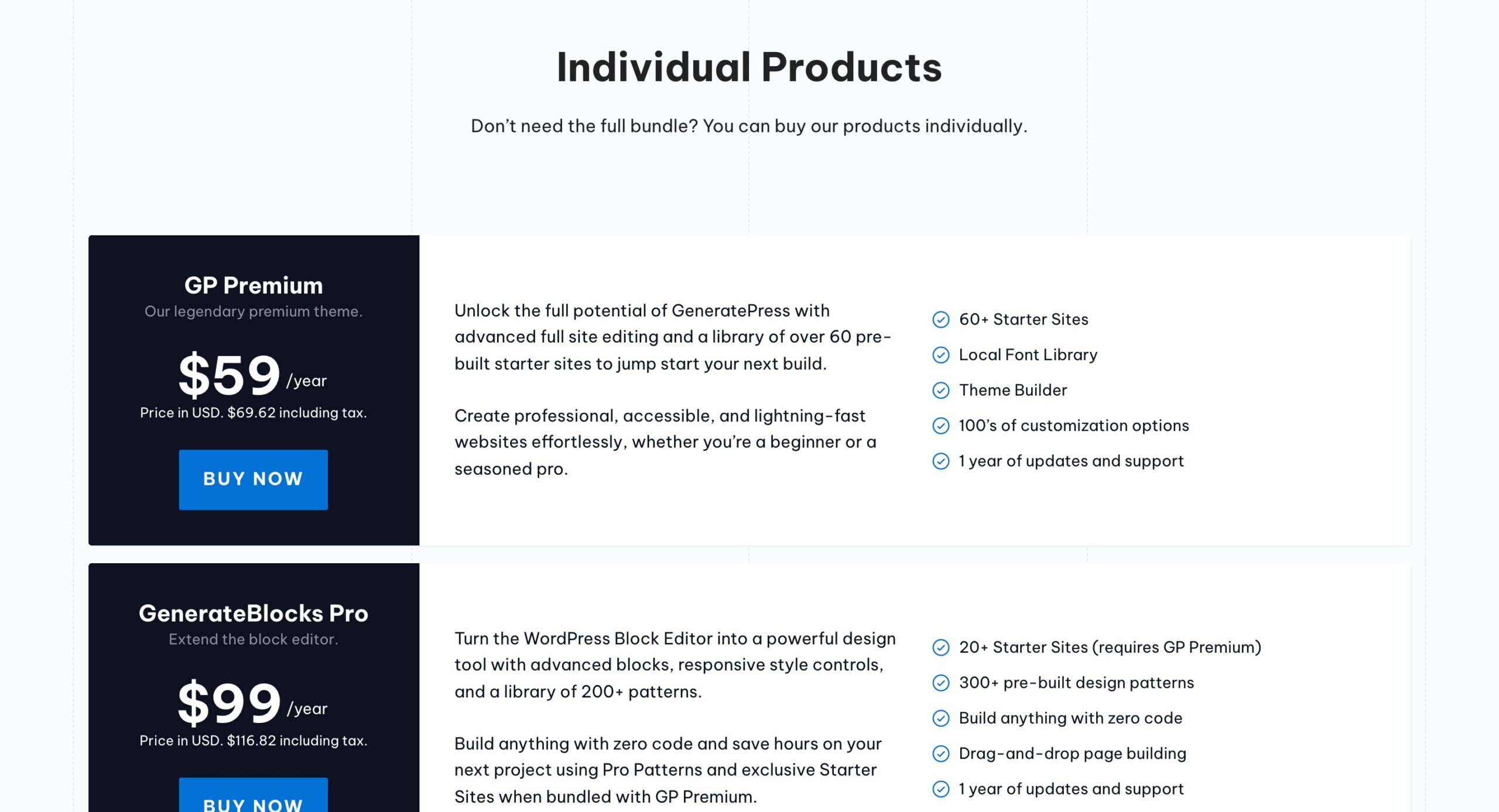
GenerateBlocks Pro costs $99 a year and covers up to 500 sites, with 300+ patterns and a 30 day refund. GeneratePress One bundles it with GP Premium and GenerateCloud for $149 a year.
Choose GenerateBlocks if you are comfortable thinking in containers and want the leanest possible page. If you prefer ready-made blocks like tabs, sliders and testimonials, pick Spectra or Kadence. See GenerateBlocks pricing.
What Each Astra Alternative Costs
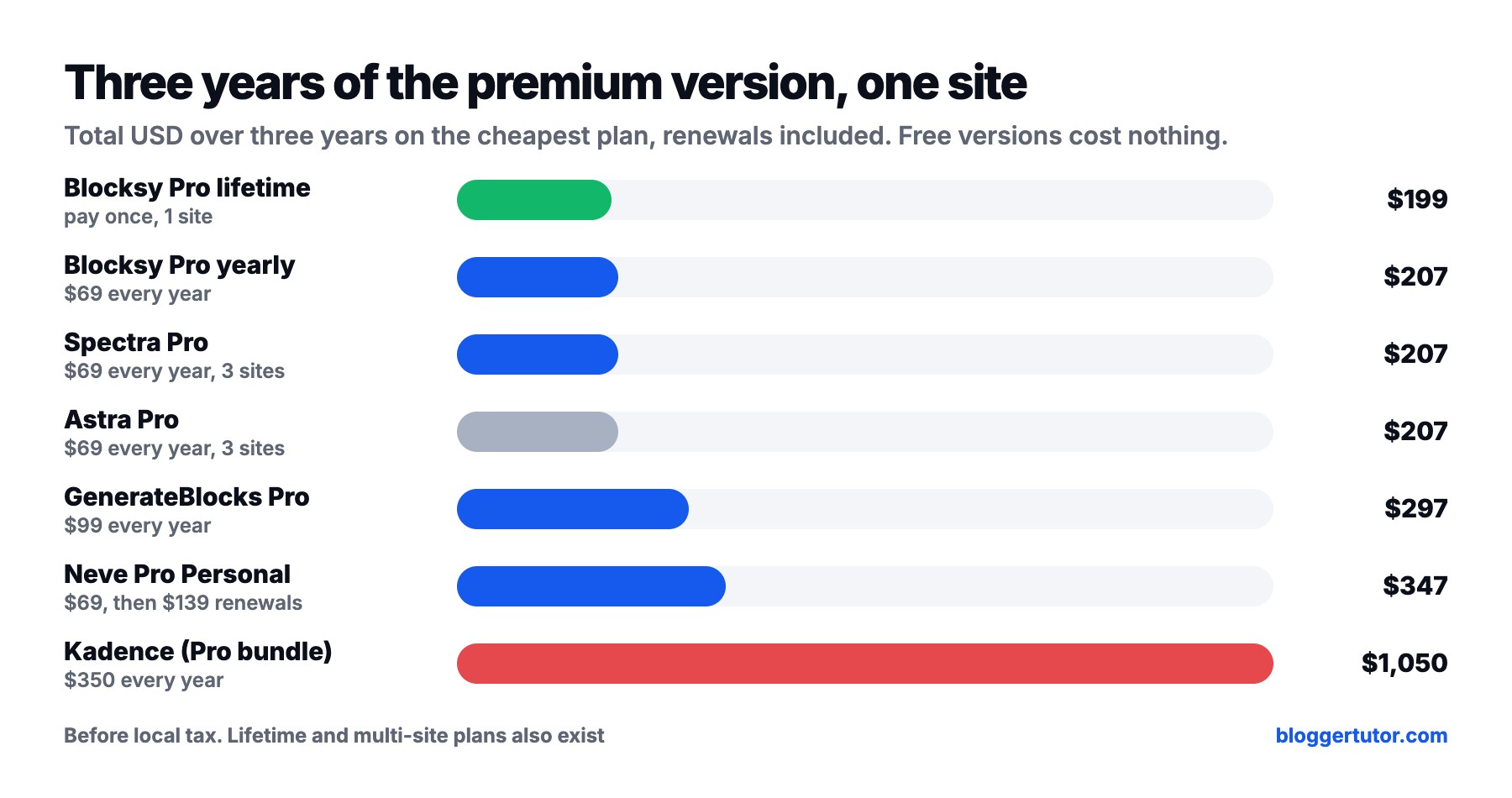
Prices on first-year banners are misleading, so here is what one site costs over three years on the cheapest premium plan, renewals included:
| Option | Year 1 | Year 2 | Year 3 | Three years |
|---|---|---|---|---|
| Blocksy Pro lifetime | $199 | $0 | $0 | $199 |
| Blocksy Pro Personal | $69 | $69 | $69 | $207 |
| Spectra Pro (3 sites) | $69 | $69 | $69 | $207 |
| Astra Pro addon (3 sites) | $69 | $69 | $69 | $207 |
| GenerateBlocks Pro | $99 | $99 | $99 | $297 |
| Neve Pro Personal | $69 | $139 | $139 | $347 |
| Kadence bundle (1 site) | $350 | $350 | $350 | $1,050 |
The free versions are where the real savings are. Blocksy free, any block theme plus Kadence Blocks free, or GenerateBlocks free will run a professional blog without paying a cent. Put the money into good hosting instead: all of these run well on Hostinger Premium at $2.49 a month on the 48 month term, which is what I use in my WordPress tutorial.
Which Astra Alternative Should You Choose?
| If you | Choose | Why |
|---|---|---|
| Want the easiest switch from Astra | Blocksy | Same workflow, more for free, perfect rating |
| Want to pay once and forget | Blocksy Pro lifetime | $199 for one site, no renewals |
| Want to learn the Site Editor | Ollie + Kadence Blocks free | Best free patterns and blocks |
| Liked Astra's starter templates | Spectra One + Spectra Blocks | Same company, familiar feel |
| Care most about speed and clean code | Twenty Twenty-Five + GenerateBlocks | Fewest blocks, leanest output |
| Already run Neve | Neve FSE + Otter Blocks | Stay with one vendor |
| Build Elementor sites | Blocksy | Works with Elementor out of the box |
My Recommendation
Switch to Blocksy. It is the Astra alternative I use on this site, it does more for free, and the move takes an afternoon. If you want to build for where WordPress is going, start a block theme with one blocks plugin: Spectra if you liked Astra, Kadence Blocks if you want the best free toolkit.
Astra Theme Alternative FAQ
What is the best alternative to the Astra theme?
Blocksy. It works the same way as Astra, includes a header and footer builder in the free version, and is rated 100 out of 100 from 873 reviews on WordPress.org. If you want a block theme instead, pair a theme like Ollie or Twenty Twenty-Five with Spectra, Kadence Blocks, Otter Blocks or GenerateBlocks.
Is there a free alternative to Astra Pro?
Yes. Blocksy free covers the header and footer builder, global colours and fonts, starter sites and WooCommerce layouts that many people buy Astra Pro for. A block theme with Kadence Blocks free is the other strong free option.
Is Blocksy better than Astra?
For most new sites, yes. Blocksy gives you more in its free version, has a perfect WordPress.org rating and sells a lifetime licence from $199. Astra has a bigger community and its Pro licence covers 3 sites instead of 1.
Is the Astra theme free?
The Astra theme itself is free on WordPress.org. Astra Pro is a paid addon at $69 a year for up to 3 websites, or $249 for a lifetime licence.
Will I lose my content if I switch from Astra to Blocksy?
No. Posts, pages, media and plugins stay exactly as they are. You only lose Astra's own design settings, so you rebuild the header, footer, colours and fonts in Blocksy.
Do I need a blocks plugin with a block theme?
Not strictly, but core blocks are basic. One plugin such as Spectra, Kadence Blocks, Otter Blocks or GenerateBlocks adds tabs, accordions, advanced layouts and forms. Install only one.
Which is better with a block theme, Spectra or Kadence Blocks?
Kadence Blocks has the stronger free version. Spectra Pro is far cheaper at $69 a year for 3 sites, while Kadence Pro is now part of a $350 a year bundle.
What happened to Spectra?
In July 2026 the original Spectra plugin was renamed Spectra Legacy and only receives security and compatibility updates. New development moved to a separate plugin called Spectra Blocks.
More Theme Guides
- Blocksy theme review, free vs Pro
- Is the Astra theme really worth it?
- Kadence vs Blocksy, which theme wins
- Kadence vs Astra, which theme is better
- Kadence Blocks vs Spectra
- WordPress theme deals with verified prices
Disclosure: I earn a commission if you buy Blocksy, Spectra, Astra, Kadence or Hostinger through links on this page, at no extra cost to you. I have no affiliate relationship with Themeisle (Neve, Otter) or GeneratePress (GenerateBlocks). Prices and WordPress.org numbers were checked on 21 October 2026. You can read exactly how I test, verify and update everything on this site.