Introduction Of On Page SEO
On page SEO (search engine optimization) means tuning each page of your website to fit how search engines rank content, so it shows up on the SERP (search engine result page) and pulls in organic traffic. Done well, it gets an article ranking on Google without a pile of backlinks behind it.
Let us start On Page SEO and discuss some algorithms that every Search Engine follows to rank any article on it's first page. Here is my checklist for On Page SEO which I will explain 1 by 1.
On Page SEO Checklist
These are the optimizations every website and blog should cover. Together they make up the on page SEO work that moves your ranking on Google.
I will take them one at a time.
1.Website Speed
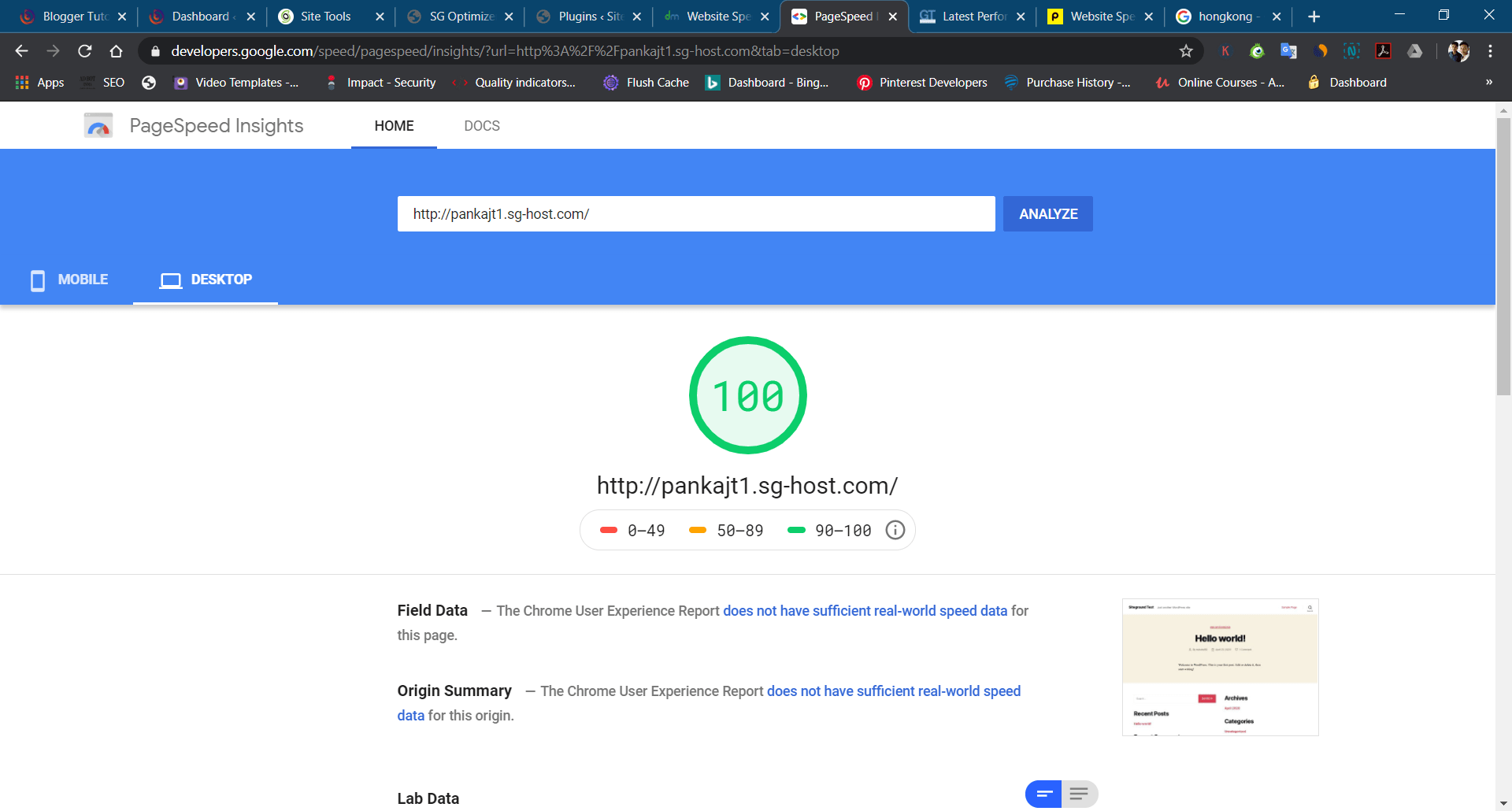
Website speed is one of the biggest problems bloggers have, and it hurts SEO badly. A slow site also pushes up your bounce rate: visitors leave without touching your content, and Google reads that as a sign your page did not answer them. Many things affect loading speed, but these two matter most.
- Theme
- Use faster themes like Generate Press, Astra, OceanWp, Kadence etc.
- Quality Hosting
- Use fast SSD or Cloud based Hosting from Siteground, Bluehost, DreamHost, A2hosting etc.

2.Coding Optimization
Coding Optimization means to optimize your code properly so that Search Engine's Crawler Bot sees your website as a clean and properly optimized website without having any malware, buggy or harmful code in it. This will reduce your Spam score and will definitely increase your SEO, Ranking, Traffic and Website Speed etc.
There are many free and paid plugins to optimize website speed using code optimization like Autoptimize (Free) and WPRocket(Paid). I use SiteGround Optimizer on this site, because it is SiteGround's own plugin built for their hosting.
3. Image Optimization
Now Image optimization has two faces, the first is compressing Image and reducing image size and other is scaling image to a proper Ratio for better visibility. Optimizing Image will also help in decreasing your page load time.Try to use JPEG and WebP format Images instead of PNG because they render faster on browsers with good quality in low size.
There are many plugins to optimize, scale and convert images like resmushit, PNG to JPEG, shortpixel etc. SiteGround Optimizer has image optimization built in, plus a PNG or JPEG to WebP converter. If you host with SiteGround, use it.
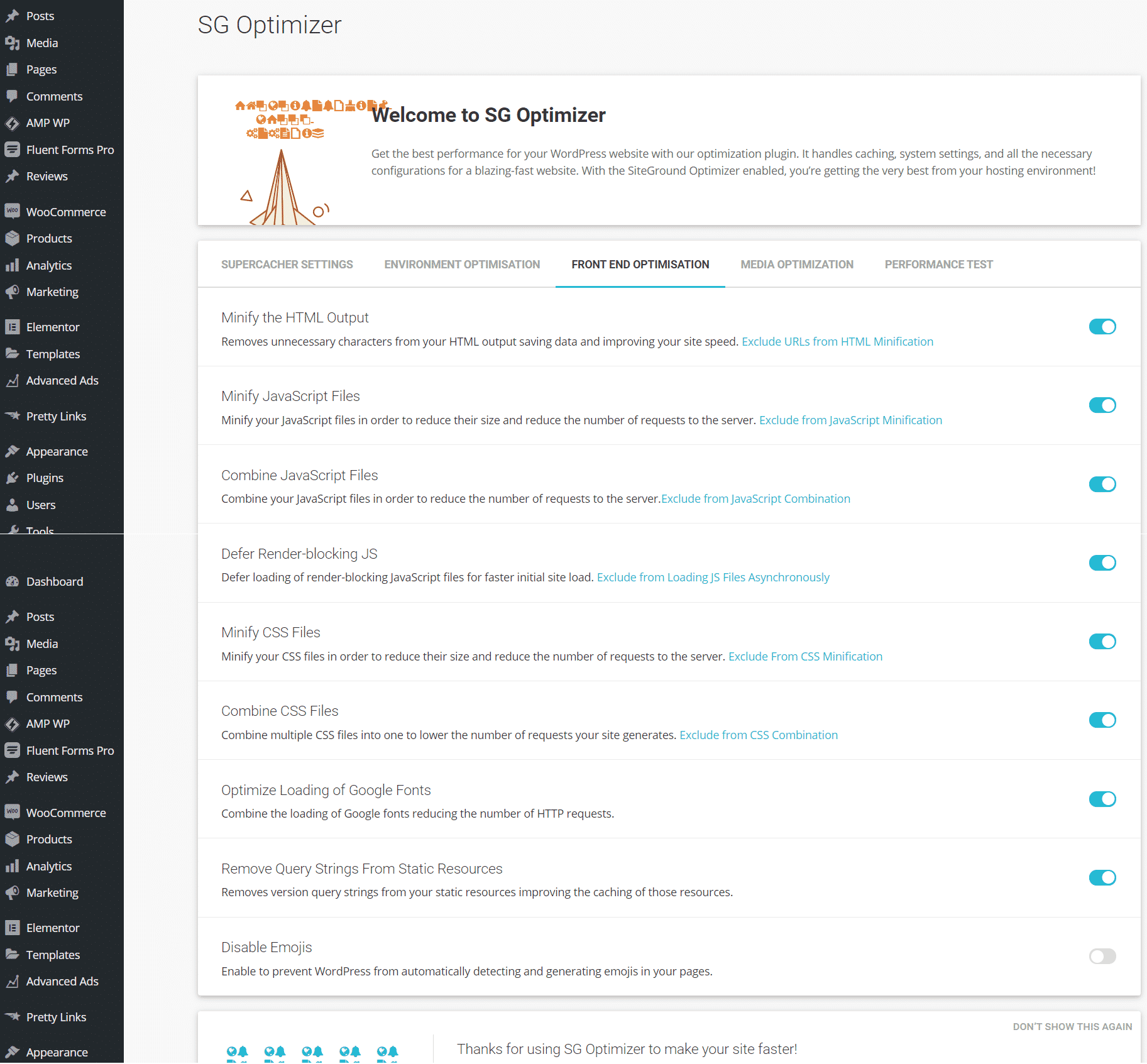
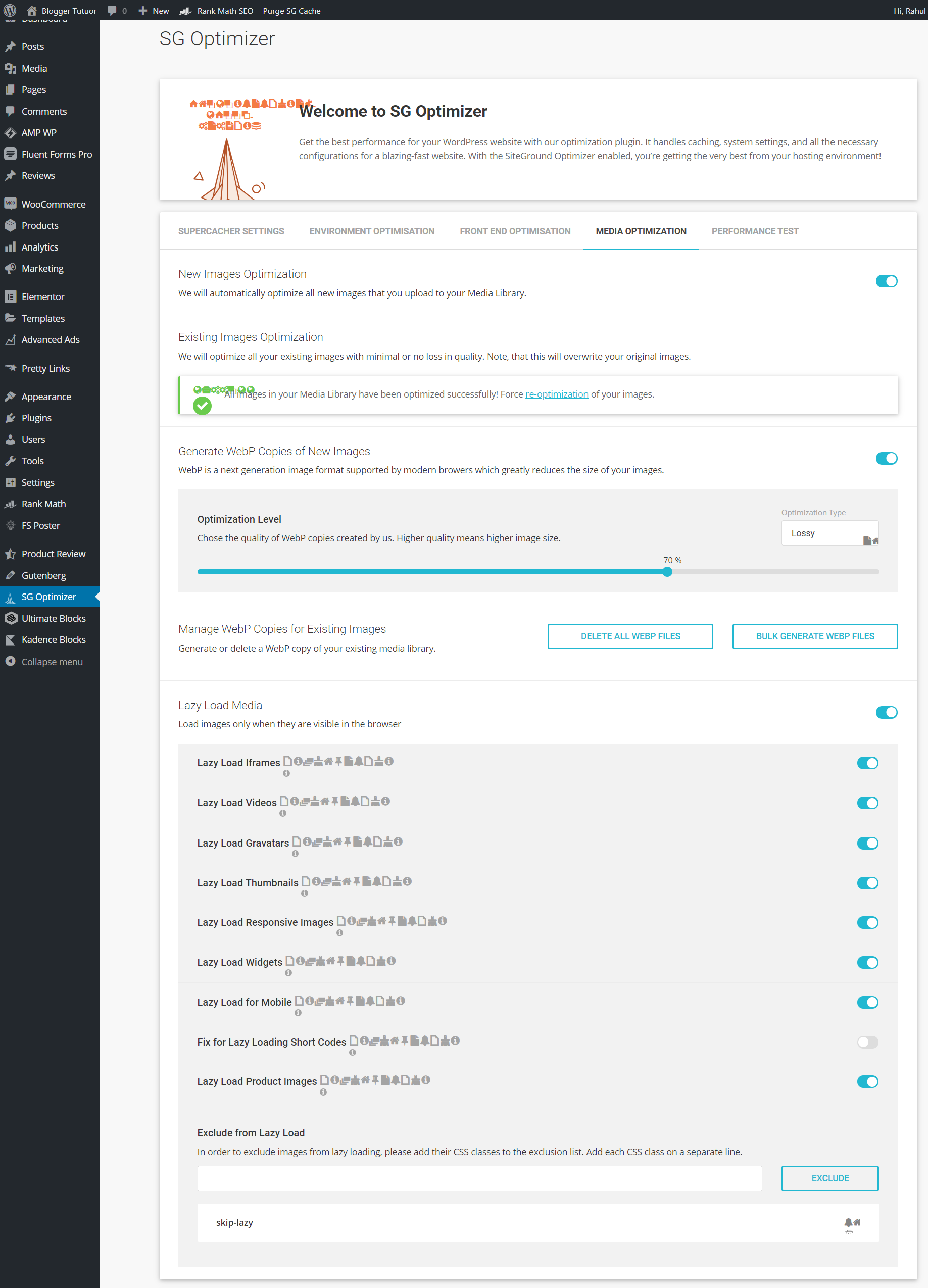
Learn How decrease website page load time.
4. Bounce Back Rate
A high bounce rate is poison for your SEO and rankings. It means visitors land and leave without interacting with anything. To Google and other search engines, that looks like your content, service or product was not good enough, so they rank someone else instead. Bring it down as soon as you can.
5. UI and Engagement
User experience is not the biggest SEO factor, but it has a big effect on bounce rate and conversions. Think about how you judge a new website: the look and feel come first. If that impresses you, you read more carefully and trust the site more.
So by creating a professional looking website, you increase your user engagement. Use creative design and creative content to impress your visitor.
6. Internal and External Linking
Internal and External linking makes your post more engaging and helps in reducing bounce back rate. Using these links inside your post will also help you to increase traffic on other posts which do not rank on google till now. It will also help you to generate more revenue if you are using google AdSense or Affiliate programs.
7. Less Popup and Ads
Some websites wrap their content in 5 to 8 popups to grab attention. In my experience, that many banners and popups only push the bounce rate up and drag your SEO down with it. Nobody ever stayed on a page because the fourth popup finally convinced them.
Learn How to Reduce Bounce Back Rate
8. Quality Content
Quality of content is the most important thing in blogging, which is why so many successful bloggers say “Content is King“. Google analyzes your content carefully before ranking it, and what it cares about is whether the person who searched leaves satisfied.
Try to create a fully explained content which covers every aspect of that particular topic. Here is my working checklist on how to create a Quality Content.
a. Think About
b. To Do
c. Not to Do
d. Rich Media and Images Alt Text
Images, videos and GIFs with proper captions and alt attributes make a post more SEO friendly. Use at least 3 images in every post, but never add one just to hit the number, and always write proper alt text. Many bloggers now use a GIF as the featured image to make a post more eye catching.
e. Proper Heading and Subheadings
Using Headings and Subheadings with short paragraphs in your content make it creative and attractive. A common beginner mistake is writing good content as one long wall of text, which looks boring and drives readers away. Headings also show readers where each topic sits, so they can jump straight to the part they came for.
Learn more about how to write a quality content
9. Structured Data & Schema
Structure Data and Schema is a content of your post or product which is used by search engines like google to classify and categorize the type of content and product, quality of content and product etc. These days schema is a very popular thing for SEO and many bloggers just use Schema only, but there are other types of structured data like Breadcrumbs, FAQ, How To etc. Using proper structure data will increase your post rank on google and other search engines.
I suggest Rank Math for SEO, because structured data and schema are built in. I use it on this site to optimize content and to add FAQ, schema and How To blocks.
10. Use AMP Ready and Mobile Friendly Theme
According to google 70% of searches are requested by mobile devices. In fact google has a separate algorithm for mobile SERP and Desktop SERP, which means, it is not necessary that if your website rank on 3 in desktop search, so it will also rank 3 in mobile search. In order to rank your post or article in mobile SERP too, you need to have a mobile friendly website with AMP version ready.
AMP stands for Accelerated Mobile Pages. These pages carry less CSS and JavaScript, so they render fast on mobile, and Google ranks AMP versions faster than other versions.
As per my experience AMP for WP and AMP WP by Pixable both are good AMP plugins to make your website AMP ready.
Here is a video on my YouTube to Learn On Page SEO
![[TOP 10] On Page SEO Optimization Tips and Techniques to Rank on Google in 2020 - हिंदी](https://bloggertutor.com/wp-content/cache/flying-press/3fb46a9592d55b6d22a895a5abebe98c.jpg)
Conclusion
That is on page SEO in brief. Follow all of it properly on your blog and there is an 80% better chance your article ranks higher.
-
What is On Page SEO?
On page SEO is optimization of web pages and post according to Search Engine Algorithm to make them more SEO friendly.
-
Why On Page SEO is Important?
On Page SEO is Important to rank your articles on Google or other Search Engines.
-
How to do On Page SEO?
On page SEO covers many things, so you need to optimize everything that affects it.
-
How to Rank On Google Without Backlinks?
If your website has little authority and few backlinks, on page SEO is the one thing that can still get you ranking on Google.
-
Can we Rank On Google Without Backlink
Yes, you can rank on Google without backlinks. You need an article with strong on page SEO.