Increasing Website Speed
How do I increase my WordPress website speed? It is one of the questions my clients and students ask me most.
Speeding up a WordPress site is not hard, even for a beginner. But have you ever asked why everyone is chasing a faster website? Many new bloggers do not know why, or how, other sites manage to load in half a second.

In this post I explain why website speed matters and show you everything I do to make a site load fast. Read it properly, apply every step, and your website will load like a rocket.
First, the main advantages of a fast website.
Advantages Of Fast Website
And there are no disadvantages. Nobody has ever complained that a page loaded too quickly.
That answers why everyone wants a fast website. The obvious next question is how to make yours fast. Before we get there, let's look at the opposite question: what makes a website slow?
Read More about How to Rank on Google Eaisly without Backlink
What makes a website Slow?
You cannot fix a problem you do not understand, so here are the factors that slow a website down.

MYTH: people say too many plugins will slow down your website. What slows it down is the quality of the plugins you use, not how many you have.
How to Boost WordPress Website Speed?
Below I go through each thing that makes a site slow and how to fix it.
1.Use Fast Hosting
Hosting is the first and one of the main factors that affect website loading speed. A fast website needs top class hosting with a fast server response time.
Many new bloggers make the same mistake. They buy cheap hosting and plan to move to a fast server once the blog starts earning. That plan does not work anymore. A slow site does not rank, and a site that does not rank does not earn, so the upgrade day never comes.
->How Hosting Affect Website Loading Speed
Here is how a website loads. When you enter a URL, the browser asks the server for all the resources and information mapped to that URL. The server then has to respond and send that data as quickly as possible. The time this takes is the Server Response Time, and cheap hosting simply does not have the power to respond fast.
->Recommended Hosting
Do not make the mistake that sinks so many new blogs. Choose a highly rated host like
- Siteground [Officially Recommended By WordPress ]
- SiteGround uses Google Cloud based servers even for its shared plans, which is what impressed me about them.
- My first choice for hosting is always SiteGround.
- Bluehost [Officially Recommended By WordPress ]
- Bluehost is also a top hosting provider, but Bluehost India does not match its quality. Buy your hosting and get support through bluehost.com.
- Bluehost's starter plans are weak, but the higher plans are impressive.
- CloudWays Cloud Hostings
- The future belongs to server clusters, not single traditional servers, so moving to cloud servers is a good call.
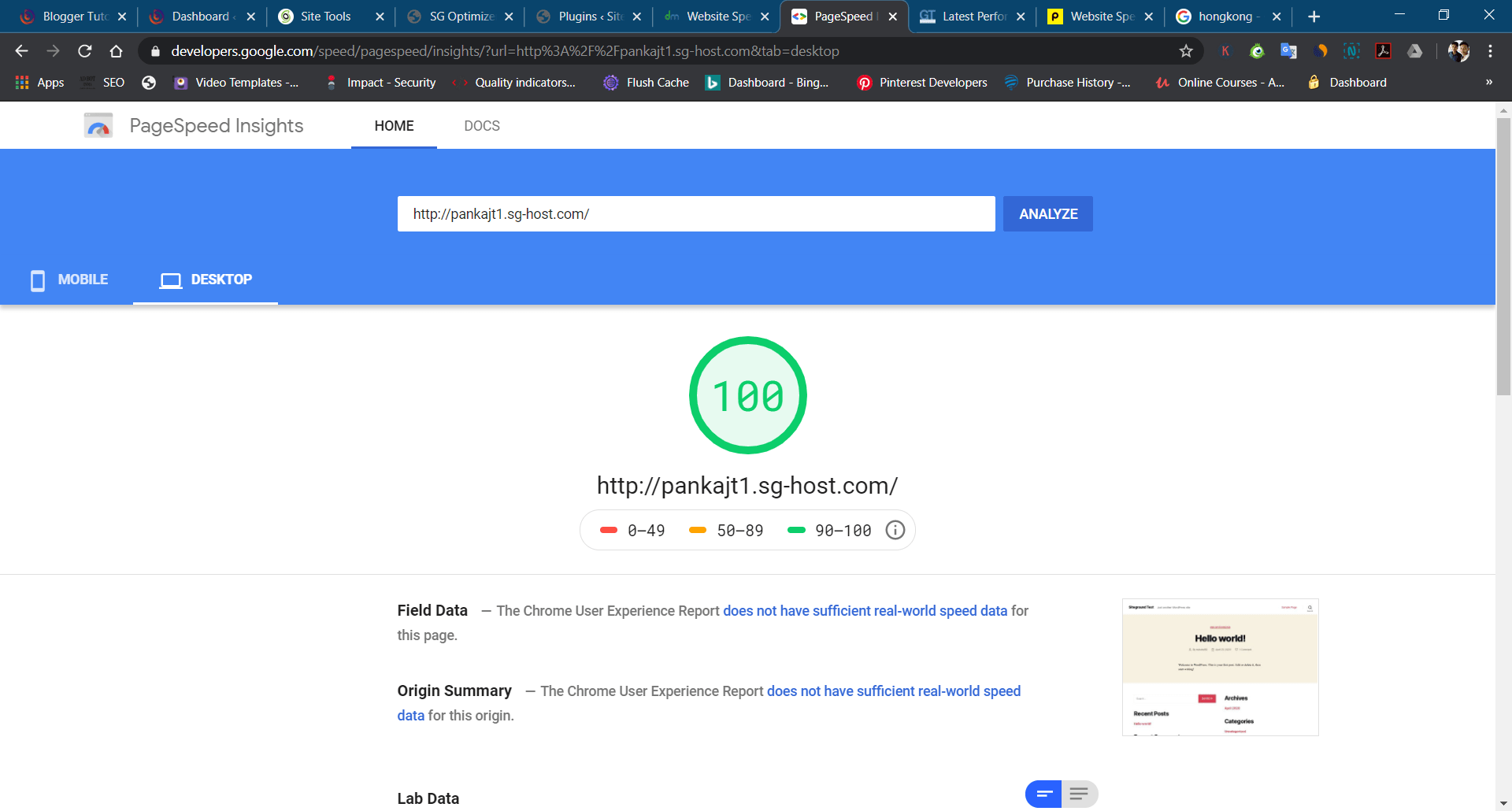
Great hosting will boost your WordPress website speed. Read my full hosting review to choose the best host for your website.
2. Optimize Coding
This part of speed optimization is a little tricky, so I will keep it simple. Code optimization means properly inlining and compressing HTML, CSS, JavaScript and so on, so the browser can render them quickly.
-> Best Plugins to Optimize Coding
There are plenty of WordPress optimization plugins on the market. These are the ones I trust:
- Autoptimize(Free)
- WP Rocket(Paid)
- SG Optimizer Specially Designed for Siteground Hosting.
Use these plugins to optimize your coding in order to boost WordPress website speed.
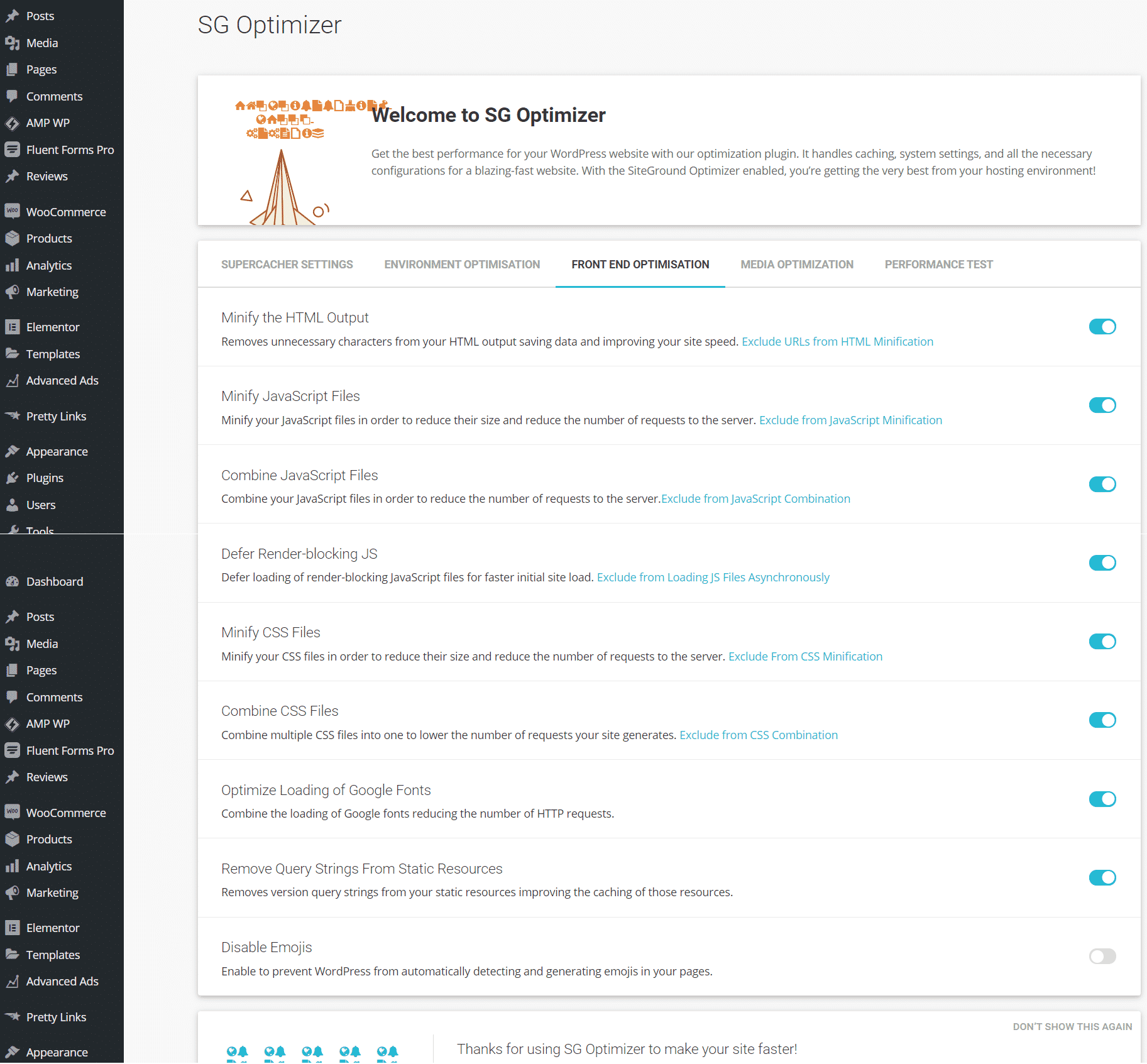
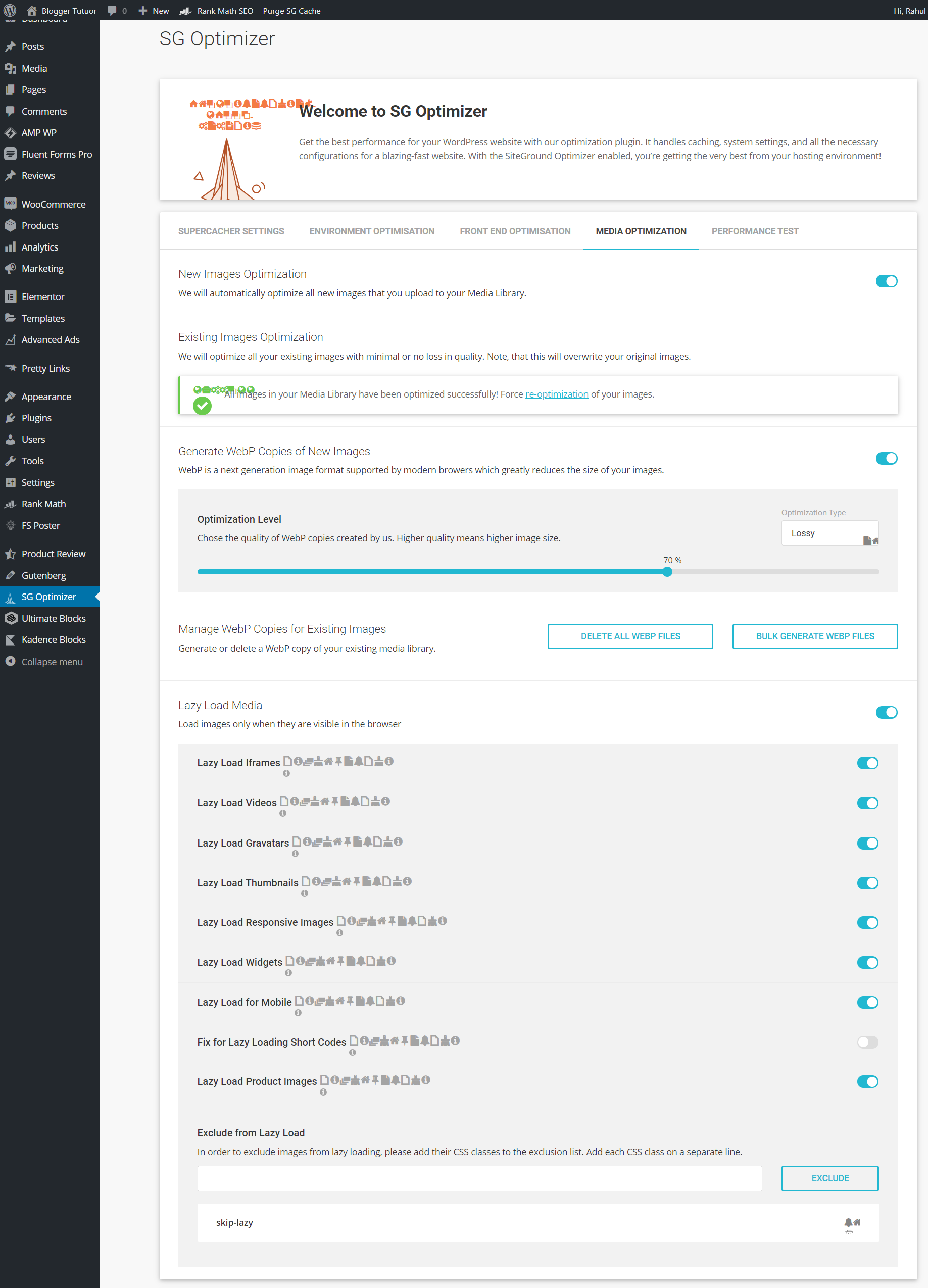
Note: code optimization can break your website's layout, so go carefully and check your pages after each change.
3. Compress And Scale Images
Images are the 3rd main factor that influences website loading speed. I know many of you are already using an image compression plugin but wait, Is Only Image Size Compression Enough? No. Image format, size ratio and scaling type matter too. I will explain each one.
- Image Compression
- Image Compression reduces the size of image by merging some pixels of image or by reducing pixels of image.
- Many developers are unsure whether compression shrinks the pixels or reduces how many there are. It reduces the number of pixels, merging several into one, so each remaining pixel covers more of the image.
- The best free Plugin to compress images is resmushit. Some paid plugins like Shortpixel, Imagify and Smush come with more advanced Image Optimization features.
- For Siteground users, SG Optimizer has built in an Image Compression feature to optimize your image performance.
- Image Format
- You might be wondering what image format has to do with WordPress website speed. Each format stores image information with a different algorithm. The popular ones are JPEG, PNG and WebP.
- Which Image Format is better? Well, WebP is the best format to use in a website because it is properly optimized for fast rendering in browsers even if scaling is happening from html. Compressed JPEG comes next. PNG is the worst of the three for speed, so avoid PNG images on your website where you can.
- The best Plugin for Converting images to JPG format is PNG to JPG free Plugin. Some paid plugins like shortpixel, Imagify and Smush come with image format converters by default.
- If you are using Siteground hosting, their SG Optimizer has built in Image Converter to JPG and WebP.
- Image Scaling
- Image scaling simply means deciding the aspect ratio of image.
- So why bother with image scaling? Because an image that is already the right size renders fast, while scaling it in HTML takes time.
- So, How to Scale Images? Use any image editor and select aspect ratio and number of pixels according to your need. If you have already Uploaded it to WordPress, use WordPress Image editor to crop or resize it.
4. Use Fast WordPress Theme
This is my favourite step, because a fast theme with minimal JavaScript and CSS saves you most of the code optimization work. The hard part is picking the theme. There are millions of fancy WordPress themes with huge code files that will fight you every step of the way. I have a dedicated post for the top 5 fastest WordPress theme to supercharge your website.
Here are my 5 favourite fast WordPress themes.
- GeneratePress
- GeneratePress is the most lightweight theme I have used, and it still has nearly every essential feature. It comes in a free and a pro version.
- Kadence
- It suits any professional blogger: fast, lightweight and responsive, with plenty of premium features, and the core theme is free.
- Astra
- You have almost certainly heard of this one. It is the fastest selling WordPress theme, with every feature you need for an elegant website. It comes in both free and premium versions.
- OceanWP
- Same as Astra, OceanWP is also a very popular and fast theme with good features.
- Studio Press Themes
- StudioPress themes are super fast, but they are not free, so not everyone can afford them. They also keep the design plain, which makes them suitable only for blogs.
A fast theme will boost your WordPress website speed.
See Astra vs Kadence Theme Comparison and Review
5. Use Fast Page Builder
There are a lot of page builders on the market, and choosing one is never easy. Here is something that surprises people: visitors prefer a simple, clean look over a complex, colourful design. That is not true everywhere, but for websites it holds 100%.
Page builders like Elementor, Divi, Brizy, WPBakery are too popular, but they have limitations when it comes to increasing a WordPress website speed. The one I love is the Gutenberg Block Editor. Yes, the one already built into WordPress. Add a Gutenberg addon and it becomes a perfect page builder with very fast pages. Gutenberg designs are simple and attractive, and most importantly they boost your WordPress website speed.
6. Use Server Side Caching
Caching can speed up your website instantly without changing how it looks or using more server resources. It works like a mirror image of your website. When a browser sends a request, the server hands over the cached file instead of building the page from scratch, and since no server processing is involved, it reaches the browser fast.
There are many WordPress caching plugins, like WP Rocket and W3 Total Cache. Server side caching is more effective, though. These days every host comes with some caching system, so just ask your provider how to activate it on your plan.
7. Use Content Delivery Network (CDN)
A Content Delivery Network, or CDN, acts as a middle distributor for your website files. It has servers across the globe, stores copies of your files on all of them, and serves each visitor from the nearest location to cut loading time. Many CDNs also have built in image and code optimization that shrinks your total file size further.
There are many free and paid CDNs in the market like Cloudflare (free and Premium both), Bunny CDN (Premium Only) etc. Use one on your website. It is one of the easiest speed wins on this list.
8*. Bonus
One more thing slows websites down: Google Fonts. Loading a Google stylesheet and font takes a lot of time. Many bloggers use a different Google font for headings, paragraphs, quotes and so on. Every one of those fonts slows your site down, and sometimes they do not render correctly and spoil the look of the page. Use as few Google fonts as possible.
Conclusion
Follow every step above and your WordPress website will be noticeably faster. Skip the hosting step and the others will only take you so far.
If this post helped, share it with a friend whose site takes forever to load.
-
Why websites are slow?
Many factors make a site slow. The main ones are the hosting server, site caching, code optimization and image optimization.
-
How to Check website Speed?
There are many tools to check website speed, like Google PageSpeed Insights, GTmetrix and Pingdom. I recommend Google PageSpeed Insights.
-
Why website Speed Important?
Website speed matters for many reasons. It improves your on page SEO, your conversions and your bounce rate.
-
How to fix a slow website?
Fixing a slow website is not that hard. Optimize its code and images, and use a CDN, caching and a fast SSD server. That will make a clear difference to your speed.
-
Which are fastest Hosting servers for Website?
There are thousands of hosting providers, but only a few deliver top class speed. Some of them are SiteGround, Bluehost, Hostinger, Cloudways, HostGator, DreamHost and WP Engine.