The best WordPress backup plugin for most sites in 2026 is WPvivid. Its free version already backs up to Google Drive, Dropbox and OneDrive with one click restores and a staging site, and it is the only major option that sells a lifetime licence. Duplicator is the best pick if you move sites between hosts, and BlogVault is the one I would trust for a busy WooCommerce store.
UpdraftPlus used to sit at the top of every list like this one, including mine. In October 2026 the company behind it was breached and attackers used stolen keys to plant backdoors on connected sites, so I have moved it down until there is a full explanation. Here are the five plugins I would install today, what each costs, and which one fits your site.
My Picks at a Glance
| Plugin | Best for | Free version | Paid from | WordPress.org rating |
|---|---|---|---|---|
| WPvivid | Most sites, best value | Yes, with cloud storage and staging | $39.20/yr or $79.20 lifetime right now | 98/100 (1,565 ratings) |
| Duplicator | Migrations and agencies | Yes | $69.30/yr | 98/100 (4,940 ratings) |
| BlogVault | WooCommerce and real-time | Limited | $49.50/yr per site | 92/100 (332 ratings) |
| Jetpack VaultPress Backup | Hands-off cloud backups | No | Billed yearly, first year discounted | 90/100 (35 ratings) |
| UpdraftPlus | On hold after the breach | Yes | $70/yr | 96/100 (8,693 ratings) |
Why UpdraftPlus Is Not My Number One Any More
On 17 and 18 October 2026, an attacker got into TeamUpdraft's website and took its customer database, including the connection keys for UpdraftCentral, its remote management dashboard. Because those keys were genuine, the attacker could install plugins on connected sites, and Patchstack counted 99 different backdoor plugins pushed out this way. TeamUpdraft's own notice confirms the incident.
The backup code itself was not the hole, and sites never connected to UpdraftCentral cloud were not reachable. But a backup plugin is the tool you rely on after a hack, so if you cannot trust the vendor, you cannot trust the backup. I explain what to do if UpdraftPlus is on your site in my Duplicator and UpdraftPlus guide.
How I Picked These
- Off-site storage. A backup on the same server as your site is gone when the server is. Every pick sends backups somewhere else.
- Restore, not just backup. A one click restore that works when the site is broken. A backup you cannot restore is just a large file with good intentions.
- Price over three years, not the first year discount.
- Real user ratings from WordPress.org, not marketing claims.
- Trust in the vendor, which is new on this list for obvious reasons.
1. WPvivid, the Best Value and the Only Lifetime Licence
WPvivid is what I point most people to. The free plugin covers scheduled backups, one click restore, migration and a staging copy of your site, and it sends backups to Google Drive, Dropbox, Amazon S3, OneDrive, DigitalOcean Spaces, FTP and SFTP without paying anything. UpdraftPlus charges for OneDrive, SFTP and staging.
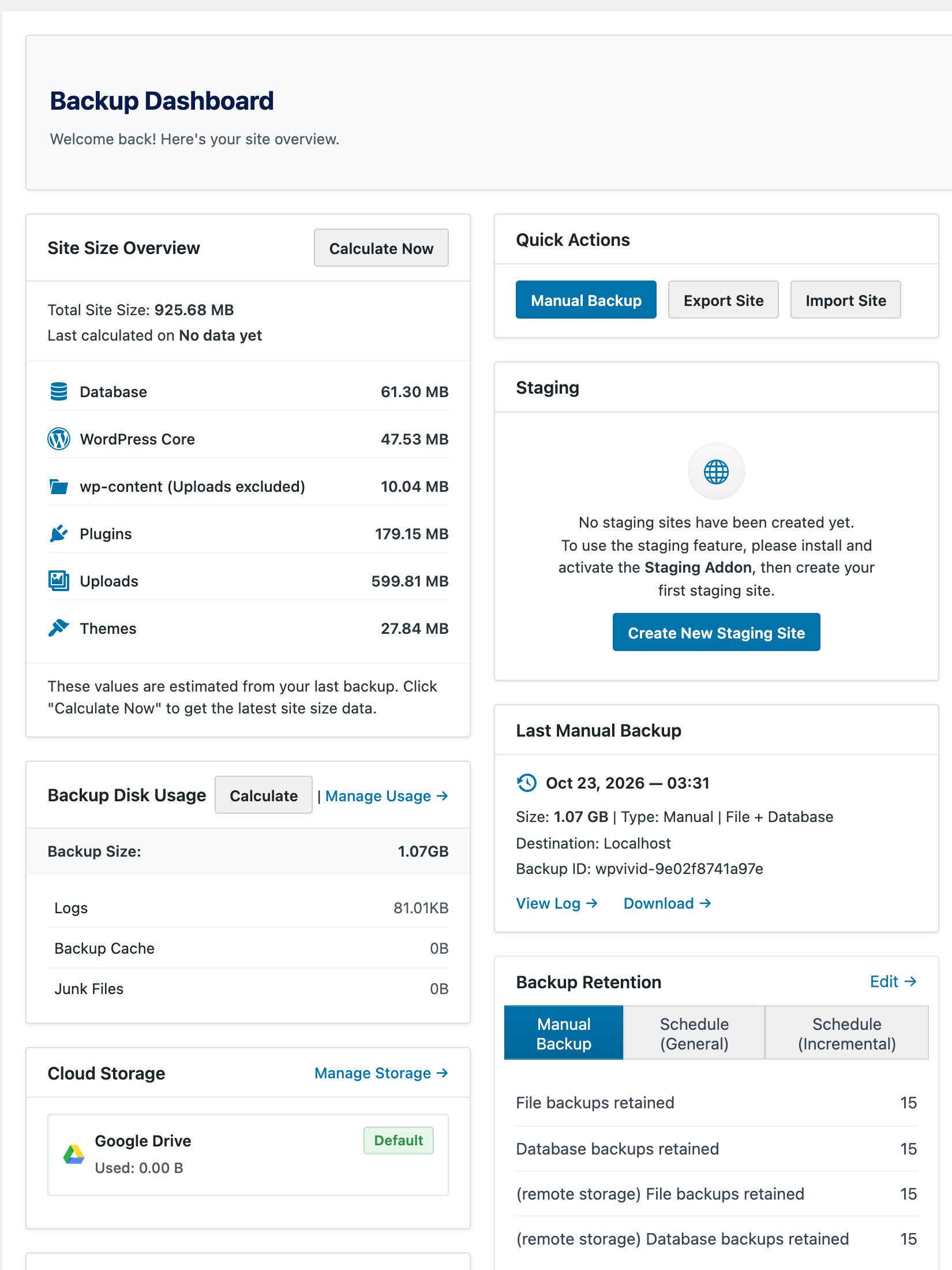
Pro adds incremental backups, so only changed files transfer each night, plus multiple schedules, selective restore, white label and multisite support. The 2025 and 2026 releases added Large Database and Large Uploads modes for big sites, database snapshots, versioned plugin rollback and the option to keep backups outside the public web folder. On this blog it ran a full 1.07 GB backup in about two minutes. Every yearly and Lifetime plan is 20% off on wpvivid.com right now:
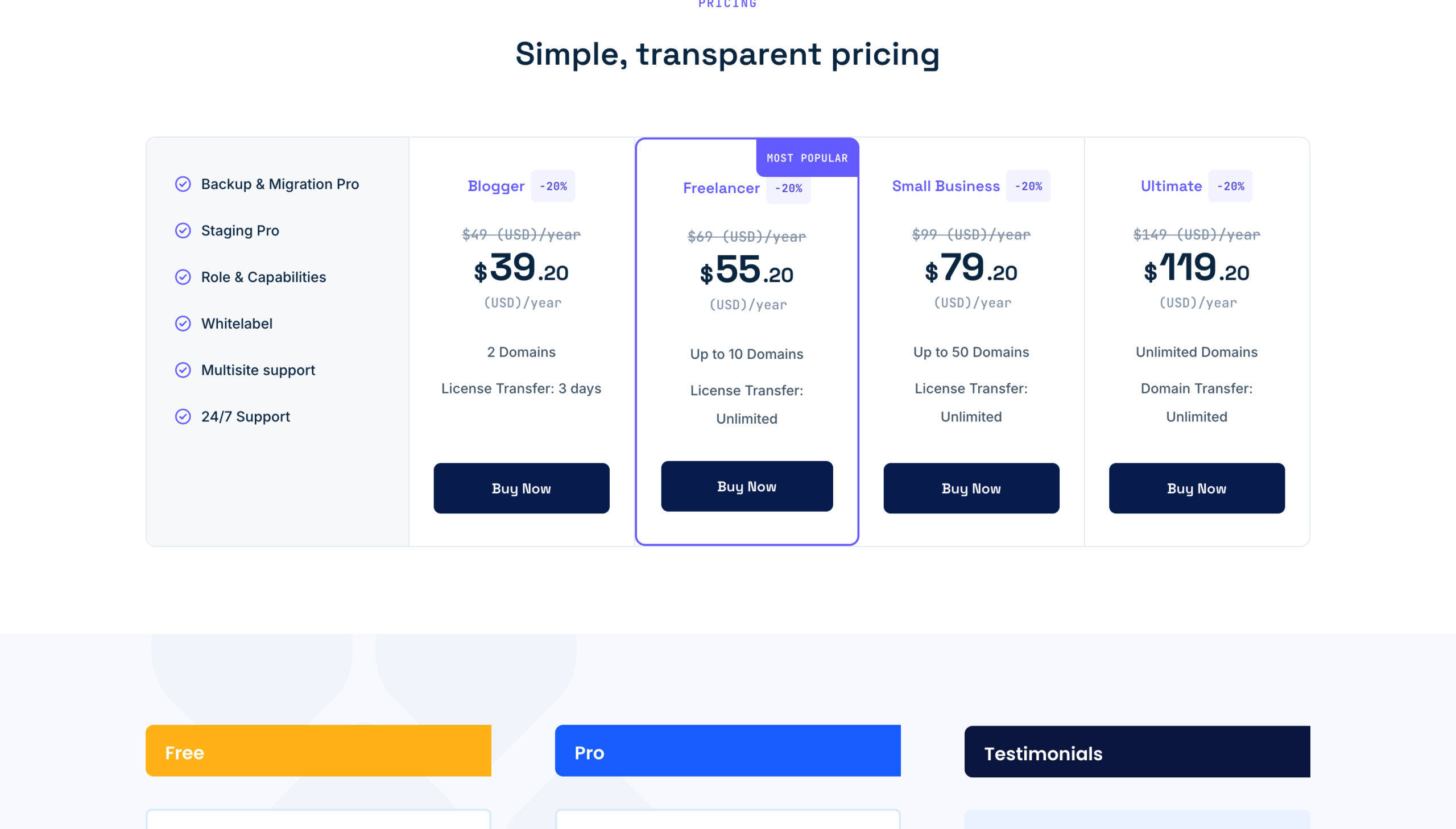
| Plan | Domains | Normal | Price today | Lifetime |
|---|---|---|---|---|
| Blogger | 2 | $49/yr | $39.20/yr | $99 once, $79.20 today |
| Freelancer | 10 | $69/yr | $55.20/yr | $139 once, $111.20 today |
| Small Business | 50 | $99/yr | $79.20/yr | $199 once, $159.20 today |
| Ultimate | Unlimited | $149/yr | $119.20/yr | $299 once, $239.20 today |
Rating: 98 out of 100 from 1,565 ratings on WordPress.org, over 900,000 active installs. Downsides: a smaller community than UpdraftPlus, and support is ticket only. On very large sites, switch on the Large Database and Large Uploads modes and test a full restore before you rely on it. My full WPvivid review covers the rest.
2. Duplicator, the Best for Migrations
Duplicator started as a migration tool and it is still the best one I have used. It packages a whole site into an archive plus an installer, and moving a site to a new host or from staging to live is close to drag and drop. Pro adds scheduled backups to cloud storage, one click restore points, hourly backups on Plus and up, and staging on the Pro plan.
| Plan | Sites | Normal | Price today |
|---|---|---|---|
| Basic | 2 | $99/yr | $69.30/yr (30% off) |
| Plus | 5 | $199/yr | $99.50/yr (50% off) |
| Pro | 20 | $399/yr | $199.50/yr (50% off) |
| Elite | 100 | $599/yr | $299.50/yr (50% off) |
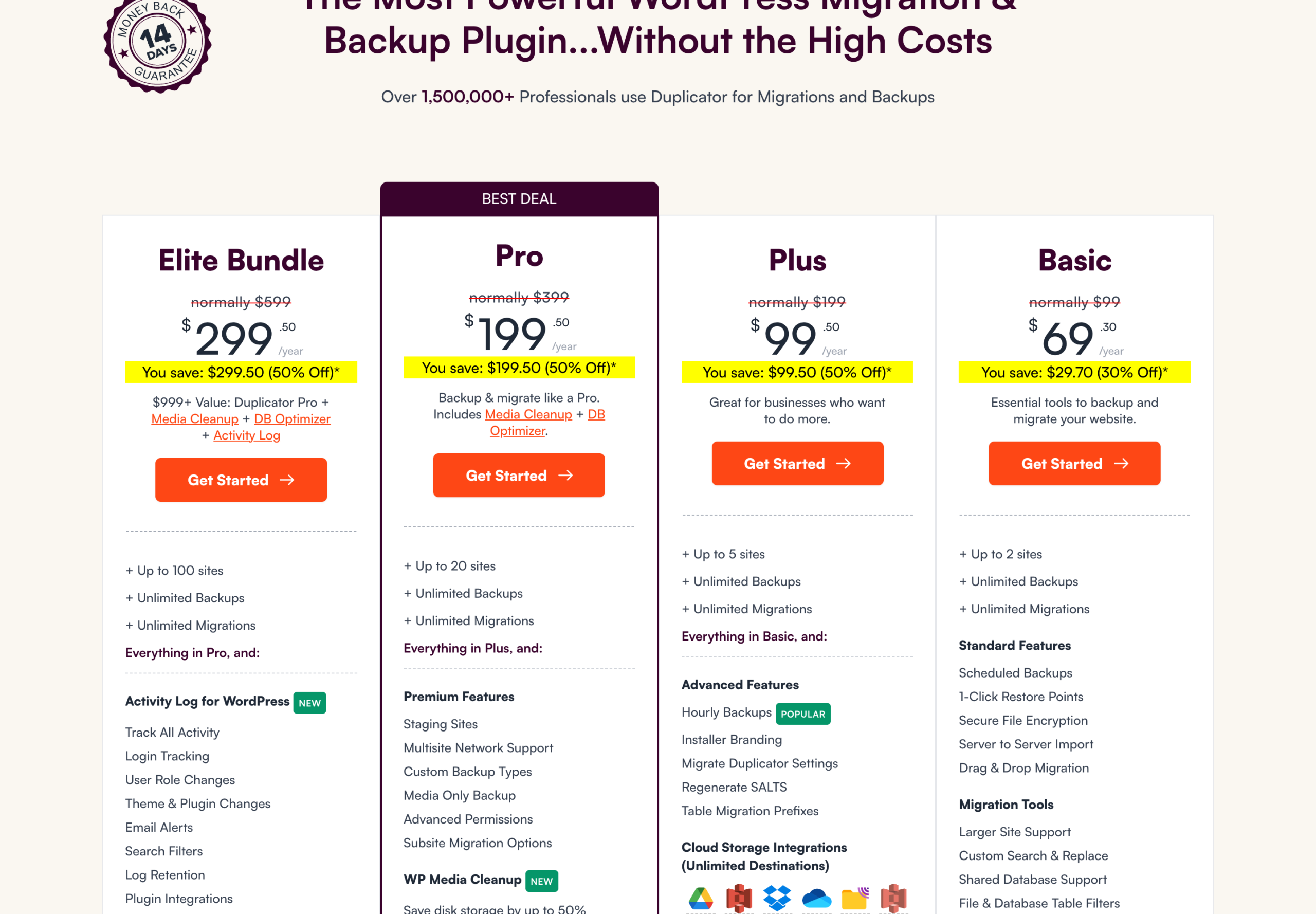
Rating: 98 out of 100 from 4,940 ratings on WordPress.org, over 1 million active installs. Downsides: no lifetime option, and the Black Friday discount is deepest on the expensive tiers. I track it on my Duplicator Black Friday page.
3. BlogVault, the Best for WooCommerce Stores
BlogVault works differently from the first two. Backups run on BlogVault's own servers rather than your hosting account, so a backup never slows your site and still exists if your host disappears. It also includes one click migration and a staging site on every plan.
The WooCommerce plan is the one that matters for shops: real-time backups, so every order is captured, with 365 days of history. Prices below are BlogVault's current first year offer:
| Plan | Backups | History | Site size | First year | Normal |
|---|---|---|---|---|---|
| Personal | Daily | 30 days | 20 GB | $49.50 | $99/site/yr |
| Business | Twice daily | 90 days | 50 GB | $149.50 | $299/site/yr |
| WooCommerce | Real-time | 365 days | 100 GB | $249.50 | $499/site/yr |
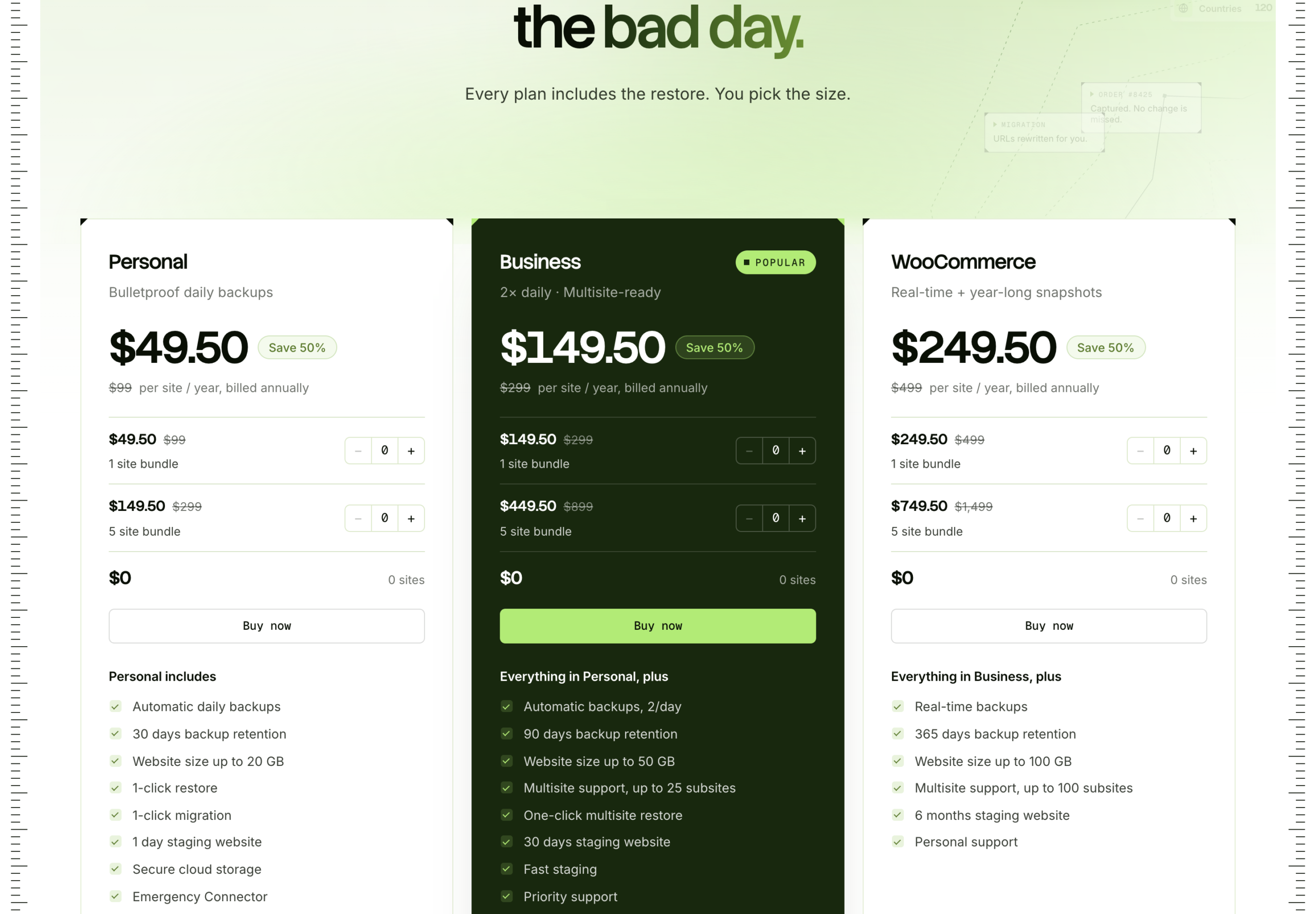
Rating: 92 out of 100 from 332 ratings on WordPress.org. The catch: it is priced per site, so it gets expensive fast across many small blogs. For one store where every order counts, it is worth it. See BlogVault pricing.
4. Jetpack VaultPress Backup, the Most Hands-Off
VaultPress Backup comes from Automattic, the company behind WordPress.com. It saves every change in real time to the Jetpack cloud, keeps a 30 day archive with an activity log, and restores in one click, even from the Jetpack mobile app or when your site is offline.
Jetpack shows prices in your local currency and discounts the first year by 50%, then renews at full price. Viewed from India it is Rs 290.95 a month for the first year, billed yearly, renewing at Rs 584.95, with 10 GB of backup storage to start.
Rating: 90 out of 100, but from only 35 ratings on WordPress.org. Downsides: storage limits and the renewal price. It suits people who want backups to be someone else's problem. See VaultPress Backup.
5. UpdraftPlus, Capable but On Hold
On features alone UpdraftPlus still belongs on this list. It has the biggest install base at over 3 million sites, 96 out of 100 from 8,693 ratings, WP-CLI support, and Premium can send one backup to several remote locations at once. Premium costs $70 a year for 2 sites, $95 for 10, $145 for 35 and $195 for unlimited.
The reason it is fifth is the October 2026 breach, not the plugin. If you already use it, update to version 1.26.13 or later, delete old UpdraftCentral keys and check your plugin list for anything you did not install. I would not buy or renew it until TeamUpdraft publishes a full report. My WPvivid vs UpdraftPlus comparison goes deeper.
An Honourable Mention: BackWPup
If you want a free plugin that backs up files and the database to remote storage and you are comfortable with a more technical interface, BackWPup is an option, with over 400,000 installs. Its 80 out of 100 rating is lower than everything above, which is why it is not in my top five.
Feature Comparison
| WPvivid | Duplicator | BlogVault | VaultPress | UpdraftPlus | |
|---|---|---|---|---|---|
| Free cloud backups | Yes | Paid plans | Limited | No | Yes |
| Staging | Free | Pro plan | All plans | No | Gold plan |
| Migration | Yes | Best in class | Yes | Not its focus | Premium |
| Real-time backups | No | No | WooCommerce plan | Yes | No |
| Lifetime licence | Yes | No | No | No | No |
| Backups stored off your server | Yes, cloud | Yes, cloud | Yes, BlogVault servers | Yes, Jetpack cloud | Yes, cloud |
Which Backup Plugin Should You Use?
| If you | Use | Why |
|---|---|---|
| Run one or two blogs | WPvivid free | Cloud backups, restore and staging at no cost |
| Want to pay once | WPvivid lifetime | From $99 once, about two years of the yearly plan |
| Move sites between hosts | Duplicator | The smoothest migrations I have used |
| Run a WooCommerce store | BlogVault WooCommerce | Real-time backups catch every order |
| Want zero maintenance | Jetpack VaultPress Backup | Real-time and fully managed |
| Already run UpdraftPlus | Update to 1.26.13, then reconsider | Follow the clean up checklist first |
The Two Layer Backup Setup I Use
Whichever plugin you pick, one backup is not enough. I run two layers on every site, and they protect against different failures.
| Layer | What it is | Protects you from | Weak spot |
|---|---|---|---|
| 1. Host backups | Daily snapshots your host takes, such as the daily backups with 30 days of restore points on Hosting.com shared plans | A bad update, a broken plugin, a quick rollback | Lives with the hosting account. If the account is suspended, hacked or unpaid, the backups go with it |
| 2. Independent copy | A backup plugin sending files and database to storage you own: Google Drive, Dropbox, Amazon S3 or Backblaze B2 | Losing the host, the account or the server | Only as good as the last job that actually finished |
Setting it up takes about twenty minutes:
- Turn on your host's daily backups and note how many days it keeps.
- Install WPvivid or Duplicator and send a weekly full backup and a daily database backup to cloud storage in your own name.
- Keep at least four weeks of copies off the server, so you can roll back to a date before a problem you only noticed later.
- Once a month, open the latest archive and check its size. A job that reports success but leaves a tiny file has backed up nothing, and I have seen that happen.
- Twice a year, restore onto a staging site and click around.
This is also the practical lesson from the UpdraftPlus breach. A copy that sits outside your server and outside any single vendor is the one that lets you go back to a clean date, whatever happened to the rest.
Back Up Properly, Whatever Plugin You Choose
- Keep at least one copy off your server. Host backups are useful, but they disappear with the account.
- Test a restore once. Restore onto a staging site and check that it loads. An untested backup is a guess.
- Back up before every update. Most plugins can do this automatically.
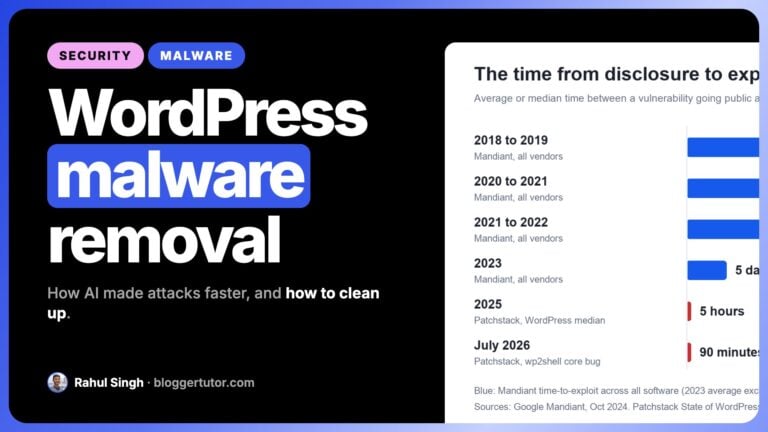
- Remember backups are not security. Restoring a hacked site brings back the hole that let the attacker in; my malware removal guide covers the fix.
My Recommendation
Start with WPvivid. The free version is enough for most blogs, and if you need more, Pro is 20% off right now or $99 once for lifetime. Choose Duplicator instead if migrations are your main job.
WordPress Backup Plugin FAQ
What is the best WordPress backup plugin in 2026?
WPvivid for most sites, because its free version includes cloud backups, one click restore and staging, and it offers a lifetime licence. Duplicator is best for migrations and BlogVault for WooCommerce stores.
Is UpdraftPlus still safe to use?
The backup code was not the problem in October 2026; stolen UpdraftCentral keys were. If you use it, update to 1.26.13 or later, delete old UpdraftCentral keys and check for plugins you did not install. I would wait for TeamUpdraft's full incident report before buying it.
What is the best free WordPress backup plugin?
WPvivid. The free version backs up to Google Drive, Dropbox, OneDrive, Amazon S3 and SFTP and includes a staging site, which most free plugins do not.
Do I need a backup plugin if my host makes backups?
Yes. Host backups usually sit on the same infrastructure as your site, so they can disappear with the account. Keep at least one copy somewhere your host does not control.
How often should I back up WordPress?
Daily for the database and weekly for files is enough for most blogs. A store that takes orders all day needs real-time backups, which is where BlogVault's WooCommerce plan fits.
Which backup plugin has a lifetime deal?
WPvivid is the only major backup plugin that sells a lifetime licence, from $99 once for two domains up to $299 for unlimited domains.
What is a two layer WordPress backup?
It means keeping two independent backups: the daily snapshots your host takes, plus a plugin backup such as WPvivid or Duplicator sent to cloud storage you own. The host copy is fastest for rollbacks; the independent copy survives if you lose the hosting account or server.
More Backup Guides
- WPvivid review, features and honest comparison
- WPvivid vs UpdraftPlus, which backup plugin wins
- Duplicator Black Friday, and why I dropped UpdraftPlus
- WPvivid Black Friday, dates and best price
Disclosure: I earn a commission if you buy WPvivid or Duplicator through the links on this page, at no extra cost to you. I have no affiliate relationship with BlogVault, Jetpack or BackWPup. Prices and ratings were checked on each vendor's site and on WordPress.org on 22 October 2026. You can read exactly how I test, verify and update everything on this site.