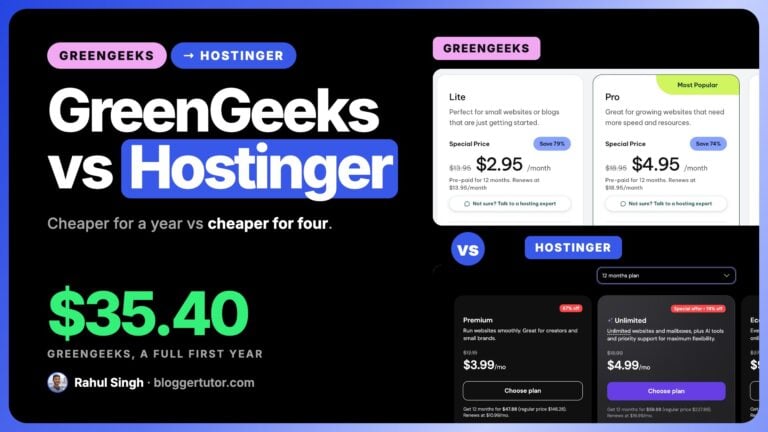
If you came here asking does Namecheap accept UPI, the answer is no. Namecheap does not take UPI, and it does not take RuPay either. I will show you the page where Namecheap says so, then tell you what works from India and which hosts do accept UPI.
Hostinger: Up to 82% OFF Black Friday
Hostinger has opened its Black Friday prices early, and my code WPRAHUL takes another 10% off on top of that already discounted price at checkout. Premium at $2.49/mo on the 48 month term is the plan I would pick for a single blog, just remember it renews at $10.99/mo.
| Premium, 48 months | |
| Unlimited, 48 months | |
| Ecommerce Startup, 48 months |
Ends 14 Dec 2026
The short answer
- Namecheap: no UPI, no RuPay. It takes Visa, MasterCard, Discover, American Express, Diners Club, JCB, UnionPay, PayPal and cryptocurrency.
- Hostinger: yes to UPI, RuPay and Google Pay. It is the straightforward option if UPI is how you want to pay.
- A RuPay only card will not work at Namecheap, because RuPay is not on its list of accepted card networks.
- Auto renew fails on Indian bank cards because of an RBI rule on recurring payments. Namecheap says so itself and tells you to keep account funds topped up instead.
- You can still use Namecheap with an international Visa or Mastercard, with PayPal, or by pre-loading account funds.
Does Namecheap accept UPI? No, and here is the proof
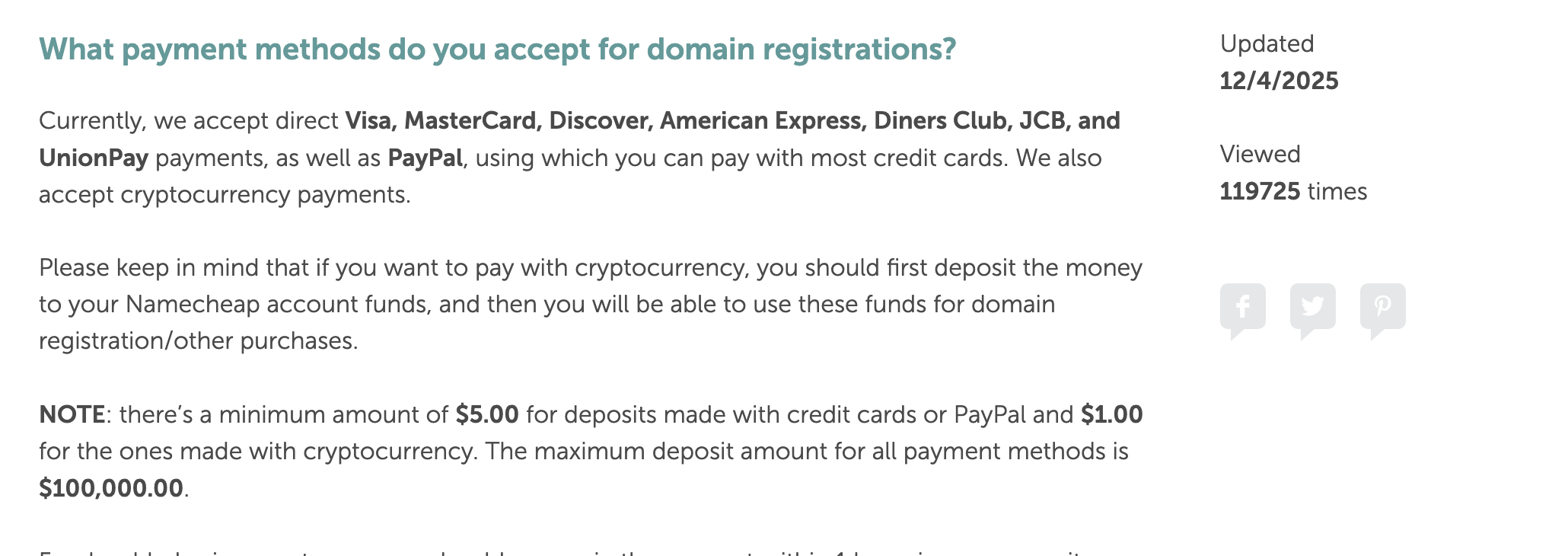
This is Namecheap's own knowledgebase article on accepted payment methods, last updated on 4 December 2025. Read the list.
| Payment method | Namecheap |
|---|---|
| Visa | Accepted |
| MasterCard | Accepted |
| Discover, American Express, Diners Club, JCB, UnionPay | Accepted |
| PayPal | Accepted |
| Cryptocurrency | Accepted, as account funds first |
| UPI | Not accepted |
| RuPay | Not accepted |
| Paytm, PhonePe, Google Pay | Not accepted |
| Net banking | Not accepted |
UPI is not there, so you cannot pay by UPI. RuPay is not on the card network list either, and that one catches more people: a lot of Indian debit cards issued with a basic savings account are RuPay only, and those will be declined. Cards co-badged as Visa or Mastercard are fine.
Namecheap will happily show you prices in rupees, which is where some of the confusion comes from. The site switches to INR display automatically for Indian visitors. Displaying a price in rupees is not the same as accepting an Indian payment method.
Which hosting companies do accept UPI?
Hostinger is the clearest yes among the international hosts. Its payment methods page lists RuPay under local card schemes and UPI under bank transfers, alongside Visa, Mastercard, American Express, PayPal and Google Pay.
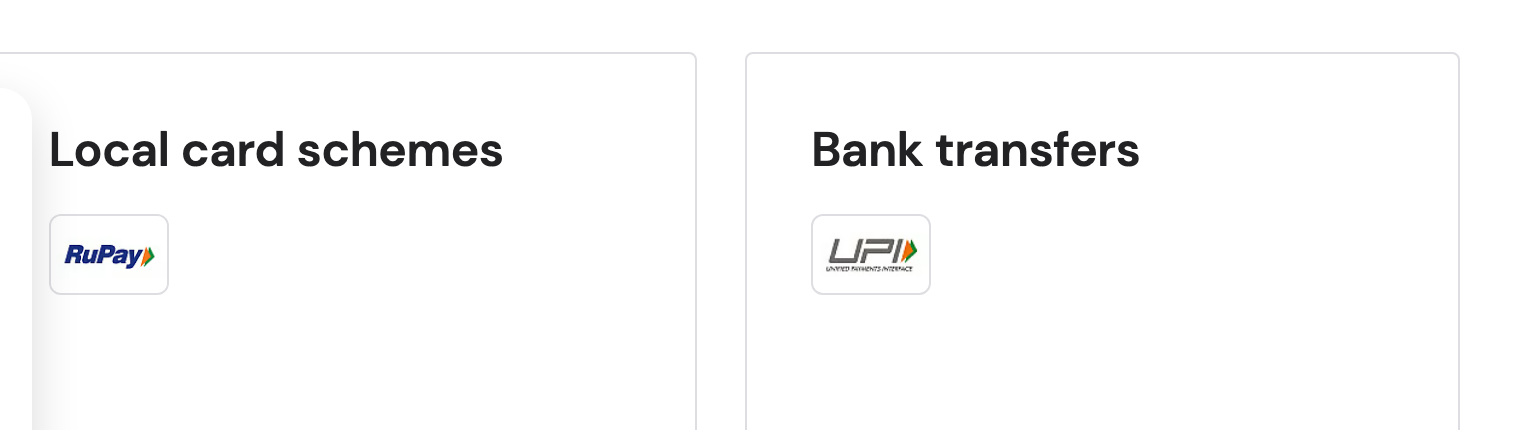
That is easy to miss. The only words on that page are “local card schemes”, “bank transfers” and “e-wallets”. UPI and RuPay appear only as logos, which is probably why so few pages answer this question directly.
If you want to pay by UPI, use Hostinger
It accepts UPI, RuPay and Google Pay, it sells domains as well as hosting so you can do both in one checkout, and it prices in rupees for Indian customers. I have written up its real prices and renewal rates separately, because the renewal is where the money is with any host.
| Provider | UPI | RuPay | Google Pay | PayPal | Notes |
|---|---|---|---|---|---|
| Hostinger | Yes | Yes | Yes | Yes | Listed as payment icons on its payment methods page |
| MilesWeb | Yes | Yes | Yes | Yes | Also net banking, PhonePe and Paytm; publishes its UPI IDs |
| BigRock | Yes | Debit cards accepted, networks not named | Wallets accepted, not named | International customers only | Also net banking, plus NEFT, RTGS and IMPS for registered Indian customers |
| HostGator India | Yes, via BigRock | As BigRock | As BigRock | As BigRock | HostGator India accounts are being moved to BigRock |
| Hosting.com (formerly A2) | No | Not listed | No | Yes | Card, PayPal and bank transfer |
| Cloudways | No | Not listed | No | Yes | Visa, Mastercard, Amex, Discover; billed in USD, Indian invoices paid through Pay by Link |
| Namecheap | No | No | No | Yes | Visa, Mastercard, Amex, Discover, Diners, JCB, UnionPay, crypto |
| Bluehost India | Not stated publicly | Not stated publicly | Not stated | Not stated | bluehost.in redirects to bluehost.com/in and lists nothing publicly |
| GoDaddy India | Not stated publicly | Not stated publicly | Not stated | Not stated | Its India help article redirects to the help centre root |
Hosts that bill in India through an Indian payment gateway, Hostinger, MilesWeb and BigRock, take UPI. International hosts that bill in US dollars, Hosting.com, Cloudways and Namecheap, do not, and you need a Visa or Mastercard with international transactions switched on, or PayPal.
I would rather leave two rows saying “not stated publicly” than fill them in from somebody else's blog post. If you are buying from Bluehost or GoDaddy, take the order to the payment step and look at the options before you commit, because that screen is the only source that is always current.
Why your Indian card gets declined on renewal, even when it worked once
This is the second question hiding behind the first, and it catches people a year after they buy rather than on the day.
Since 1 October 2021, banks and payment gateways under the Reserve Bank of India need additional approval for recurring card payments above 5,000 rupees. The rule requires e-mandates and an Additional Factor of Authentication, and it applies to both debit and credit cards. International merchants who have not implemented the e-mandate flow simply get declined.
Namecheap's own words on it
“All auto-renew transactions made with cards issued by Indian banks are declined by a bank.” That is from Namecheap's knowledgebase, not from me. Their recommended workaround is to keep money in your Namecheap account balance, because auto-renew charges the balance first and only falls back to cards if the balance is short.
That advice works well beyond Namecheap. If you host anything abroad and pay with an Indian card, the safest setup is to pre-pay rather than rely on an automatic charge going through a year from now, when a lapsed renewal can cost you the domain.
- Minimum deposit at Namecheap: $5.00 by card or PayPal, $1.00 by cryptocurrency. Maximum $100,000.00.
- Crypto deposits usually appear within an hour, occasionally up to 24 hours, so do not leave it until the renewal date.
- Manual renewal works where auto renew fails. You can renew by hand with a card, PayPal or account funds.
- Re-adding the card sometimes clears the block, per Namecheap's own troubleshooting.
What to do, depending on what you have
You only have UPI or a RuPay card
Buy from a provider that takes them. Hostinger accepts UPI, RuPay and Google Pay and sells both hosting and domains, so one checkout covers you. Namecheap is not an option in this situation, no matter how good its domain prices are.
You have a Visa or Mastercard from an Indian bank
Namecheap works, and it is usually the cheaper registrar. Two precautions: enable international transactions in your banking app before you try, since most Indian banks now ship cards with that switched off, and do not rely on auto renew. Put enough in your account balance to cover the next renewal instead.
Your card keeps getting declined at checkout
Work through it in this order: turn on international transactions in the bank app, check whether the card is RuPay only, try PayPal, then try a different card. If it is a specific host giving you trouble I have written up the exact fixes for three of them.
Buying a domain with UPI
Domains are the most common reason people hit this wall, because a domain is often the first thing you ever buy online for a project and it is a small enough amount that you expect UPI to just work.
Your options are the same shape as above. Hostinger sells domains and takes UPI, so that is the shortest path. Indian registrars such as BigRock take UPI and net banking as a matter of course, since they bill domestically. Namecheap, despite usually having the better renewal price on a .com, needs a card or PayPal.
One thing worth weighing before you pick on payment method alone: the renewal price on a domain matters more than the first year. Registrars that advertise a very cheap first year often renew far higher, and a domain is something you keep. Check the renewal rate on the registrar's own pricing page before you buy, the same way I check hosting renewal rates.
UPI and RuPay hosting payment FAQs
Does Namecheap accept UPI?
No. Namecheap's own knowledgebase, updated 4 December 2025, lists its accepted methods as Visa, MasterCard, Discover, American Express, Diners Club, JCB, UnionPay, PayPal and cryptocurrency. UPI is not among them and there is no UPI option at checkout.
Does Namecheap accept RuPay cards?
No. RuPay is not on Namecheap's list of accepted card networks, so a RuPay only card will be declined. Many Indian debit cards issued with basic savings accounts are RuPay only. Cards co-badged with Visa or Mastercard work normally.
Which hosting company accepts UPI in India?
Hostinger. Its payment methods page lists RuPay under local card schemes and UPI under bank transfers, along with Google Pay, Visa, Mastercard, American Express and PayPal. It sells domains as well as hosting, so a single checkout covers both.
Can I buy a domain with UPI?
Yes, from a provider that accepts it. Hostinger takes UPI for domains as well as hosting, and Indian registrars such as BigRock accept UPI and net banking because they bill domestically. Namecheap does not accept UPI for domains.
Why was my Indian card declined on Namecheap?
Most often one of three reasons: international transactions are switched off on the card, which is the default on most Indian bank cards now; the card is RuPay only, which Namecheap does not accept; or it was an auto renewal, which Indian banks decline under the RBI recurring payment rules.
Why do auto renewals fail on Indian bank cards?
Since 1 October 2021 the Reserve Bank of India requires e-mandates and an Additional Factor of Authentication for recurring card payments above 5,000 rupees. Namecheap states that all auto renew transactions on cards issued by Indian banks are declined by the bank, and recommends keeping funds in your account balance instead, because auto renew charges the balance before it tries a card.
How do I add funds to a Namecheap account from India?
By card, PayPal or cryptocurrency. The minimum deposit is $5.00 by card or PayPal and $1.00 by crypto, with a maximum of $100,000.00. Crypto deposits normally appear within an hour but can take up to 24 hours, so do not leave it until the renewal date.
Does Namecheap charge in rupees?
It displays prices in rupees for Indian visitors and switches the currency selector to INR automatically. That is a display setting, not an Indian payment method, and it is a common source of confusion. You still need a card, PayPal or account funds.
Does Bluehost or GoDaddy India accept UPI?
Neither publishes its payment methods publicly. bluehost.in redirects to bluehost.com/in without listing methods, and GoDaddy's India help article redirects to the help centre root. Take an order to the payment step and read the options there rather than trusting any blog, including this one, on that specific point.
Is it safe to pay for hosting with UPI?
Yes, where it is offered. UPI runs through your own bank and does not expose card details to the merchant. The practical caution is different: UPI is a push payment, so it does not support automatic renewals the way a card does. Diary your renewal dates.
What should I do if I only have a RuPay card?
Pick a provider that accepts RuPay, which Hostinger does, or ask your bank for a Visa or Mastercard co-badged card, which most Indian banks will issue on request. A third option is PayPal funded from your bank account, which Namecheap does accept.
Which is cheaper for domains, Namecheap or Hostinger?
Namecheap is usually cheaper on domain renewals, which is the number that matters over time, but it cannot take UPI or RuPay. If you have a Visa or Mastercard, Namecheap is normally the better buy. If UPI is your only option, Hostinger is the practical choice. Compare the renewal price rather than the first year either way.
Which web hosting companies accept UPI in India?
Hostinger, MilesWeb and BigRock accept UPI, and HostGator India customers are being moved to BigRock. Hosting.com (formerly A2 Hosting), Cloudways and Namecheap do not accept UPI; they take cards and PayPal.
Does Cloudways accept UPI or RuPay?
No. Cloudways lists Visa, Mastercard, American Express, Discover and PayPal, and bills in US dollars. Customers in India pay invoices through a Pay by Link page because of RBI rules.
Does Hosting.com accept UPI?
No. Hosting.com, formerly A2 Hosting, accepts credit and debit cards, PayPal and bank transfer. UPI and RuPay are not listed.
Related reading
- Black Friday hosting deals, ranked by four year cost
- Hostinger prices, renewals and what Premium leaves out
- Cloudways payment problem from India, solved
- A2 Hosting card decline from India, solved
- FastComet payment declined from India, solved
- What is hosting, explained properly
- How I test, verify and update everything on this site
Disclosure: some links on this page are affiliate links and I earn a commission if you buy through them, at no extra cost to you. I earn on both Hostinger and Namecheap, so you should know that the answer here does not depend on which one pays me. Namecheap is still usually the cheaper registrar for anyone holding a Visa or Mastercard, and I have said so. Every payment method listed here was read off the provider's own page on 27 October 2026, and where a provider does not publish its methods I have said that instead of guessing. You can read exactly how I test, verify and update everything on this site.