Switching SEO plugins feels risky, and that fear is the main reason people stay on Yoast longer than they want to. The good news is that moving from Yoast to Rank Math takes about ten minutes and Rank Math imports your titles, descriptions, focus keywords, robots meta and redirections for you. I did it on this blog in 2021 with posts already ranking, and nothing dropped.
This is the exact process, in order, including the two steps most guides leave out and the mistakes that do cost people traffic.
Why People Move Off Yoast
Rank Math Free includes several things Yoast either charges for or does not offer at all. If nothing in this table matters to you, Yoast can stay where it is.
| Feature | Yoast | Rank Math |
|---|---|---|
| Redirection manager | Premium only, $118.80 a year | Free |
| 404 monitor | Not available | Free |
| Focus keywords per post | 1 free, up to 5 in Premium | Unlimited, free |
| Internal linking suggestions | Premium only | Free |
| Keyword rank tracking | Not available | PRO, 500 keywords |
| Sites per paid licence | 1 | Unlimited personal sites |
| Paid price per year | $118.80 | $95.88 |
Still deciding whether to migrate at all? Read the full Rank Math vs Yoast comparison first, including the sections where Yoast is the better tool. Come back here once you have decided.
Before You Start, Two Minutes of Insurance
Take a database backup. The import writes to your post meta. It is reliable, but it is the one step in this process you cannot undo from the WordPress admin. Any backup plugin or your host's snapshot tool is fine.
Note your current sitemap URL. Yoast serves /sitemap_index.xml and so does Rank Math, but the contents change. You will resubmit it at the end.
Do not deactivate Yoast yet. Rank Math reads its data out of the database during the import, so Yoast needs to stay installed until that is done.
How to Switch From Yoast to Rank Math
Migrate a live WordPress site from Yoast SEO to Rank Math, importing all existing SEO metadata and redirections without losing rankings.
Back up your database
Run a full database backup before touching anything. The import modifies post meta across every published post, so this is your only rollback.
Install Rank Math and connect a free account
Add the Rank Math plugin from the WordPress plugin directory and activate it. It asks you to connect a free Rank Math account, which is required for the setup wizard and for Search Console features. Do not uninstall Yoast.
Start the setup wizard and choose your mode
Pick Easy mode if you run a standard blog, Advanced if you want control over every module. You can switch later, so this is not a permanent decision.
Import your Yoast data
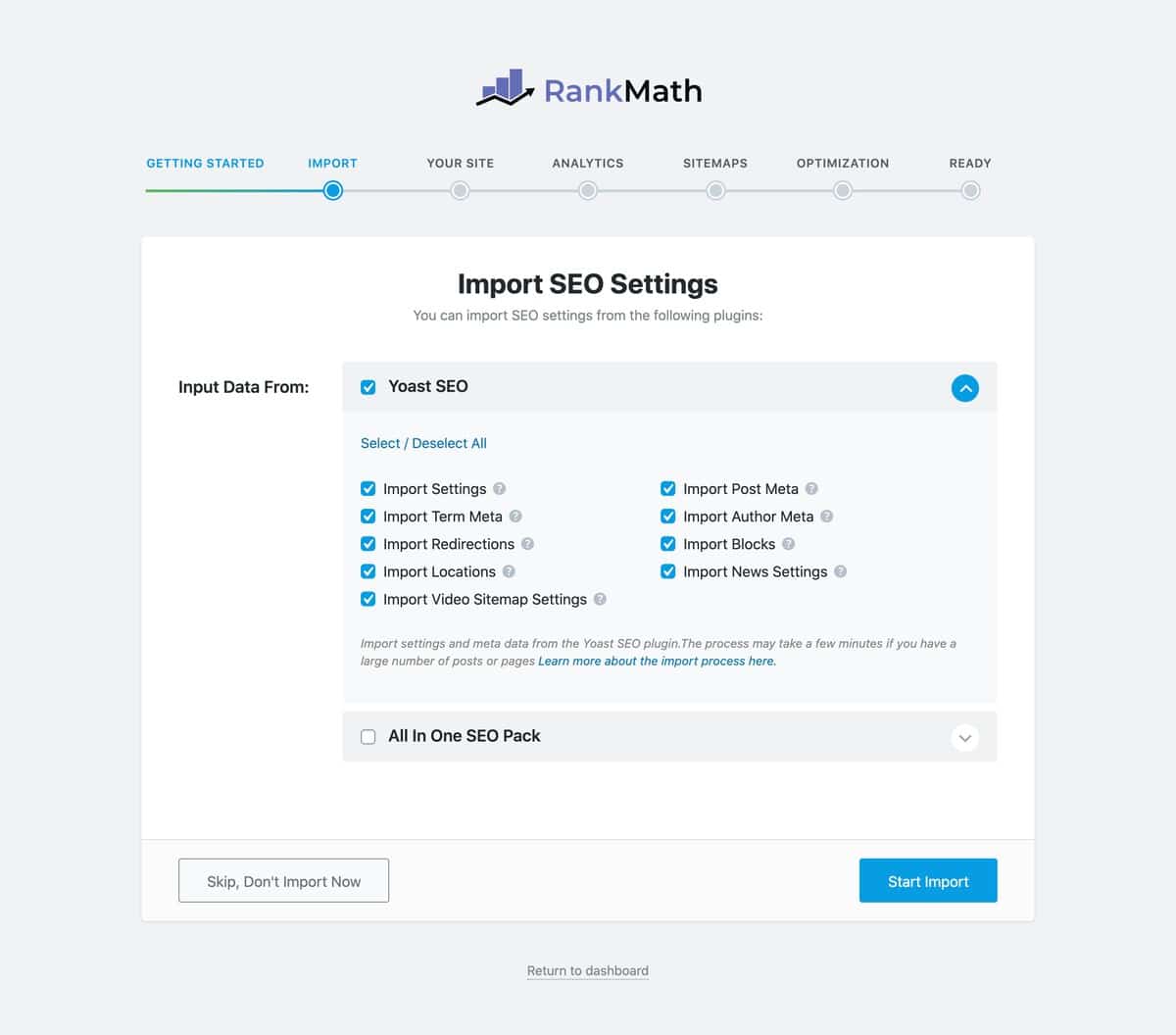
The wizard detects Yoast automatically and shows an import screen. Tick Import Settings, Import Post Meta, Import Term Meta, Import Author Meta, Import Redirections and Import Blocks, then start the import. On a large site this takes a few minutes.
Connect Search Console and Analytics
Link your Google account so Rank Math can pull position and traffic data into the WordPress dashboard. Yoast never showed you this, and having your rankings next to your editor is a nice change.
Check your sitemap settings
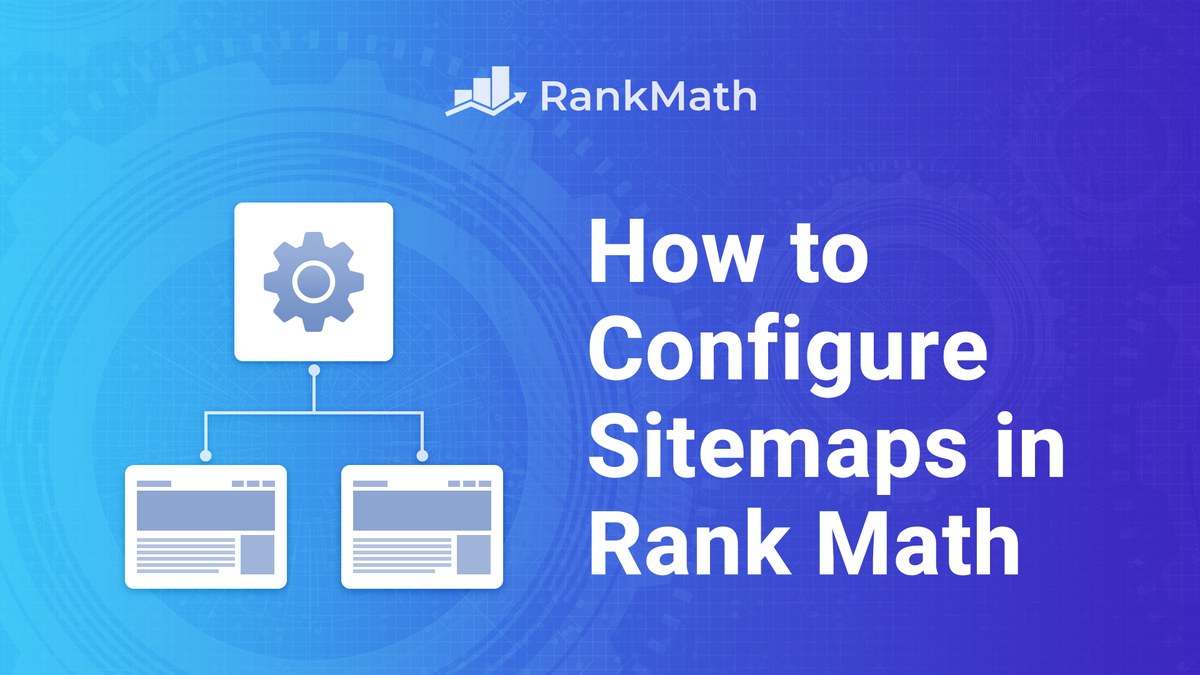
Open Rank Math, Sitemap Settings, and confirm which post types and taxonomies are included. Rank Math's defaults differ slightly from Yoast's, and this is where people accidentally start indexing tag archives.
Spot check ten or fifteen important posts
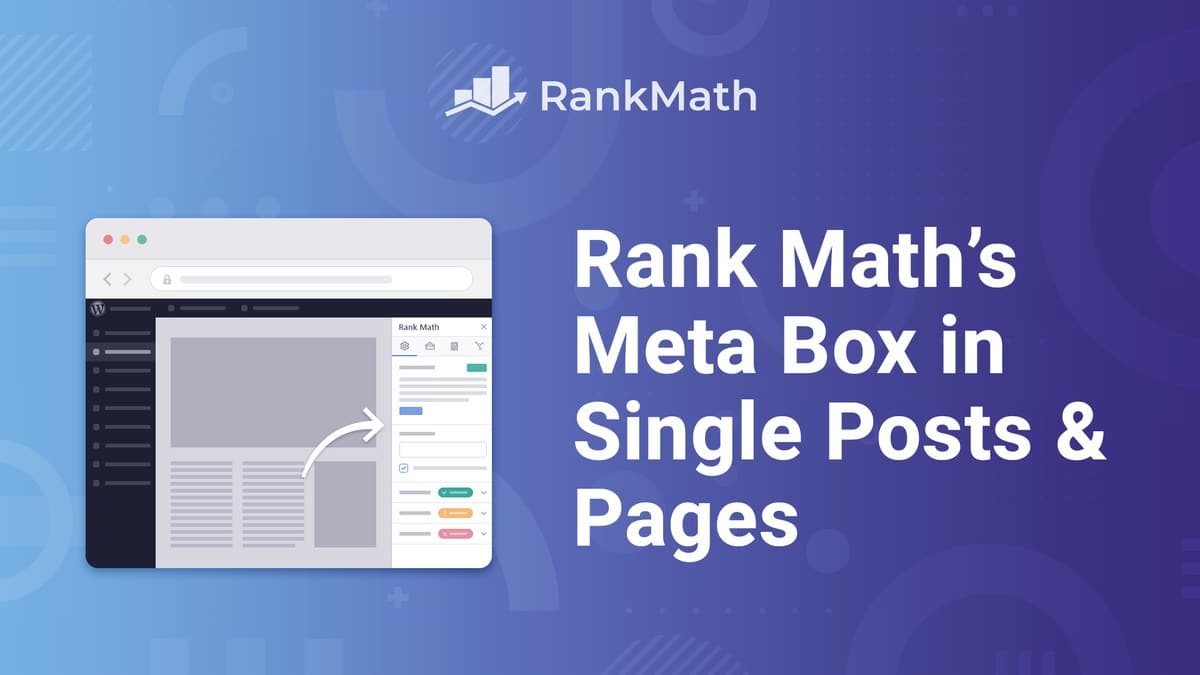
Open your best performing posts and confirm the SEO title, meta description, focus keyword and canonical all carried across correctly in the Rank Math meta box. Check a page, a post and a category archive so you cover each template.
Only now, deactivate and delete Yoast
Once you have verified the import, deactivate Yoast and delete it. Leaving both active outputs duplicate title tags and Open Graph tags.
Resubmit your sitemap in Search Console
Submit /sitemap_index.xml again so Google recrawls it from the new generator, then request indexing on your homepage. Rankings normally stay flat through the switch.
What to Check in the First Week
The import does most of the job. These are the checks I run after every migration to cover the rest.
- View source on your homepage and one post. You should see exactly one
<title>, one meta description and one canonical. Two of anything means Yoast is still active somewhere. - Open Search Console coverage. Watch for a jump in excluded or duplicate pages over the first week, which would point at a sitemap or canonical setting.
- Test three or four old redirects. Yoast Premium redirects import into the Rank Math redirection manager, but it is worth confirming a few by hand.
- Check your schema. Run a post through Google's Rich Results Test. Rank Math outputs its own Article schema, so the graph will look different from Yoast's.
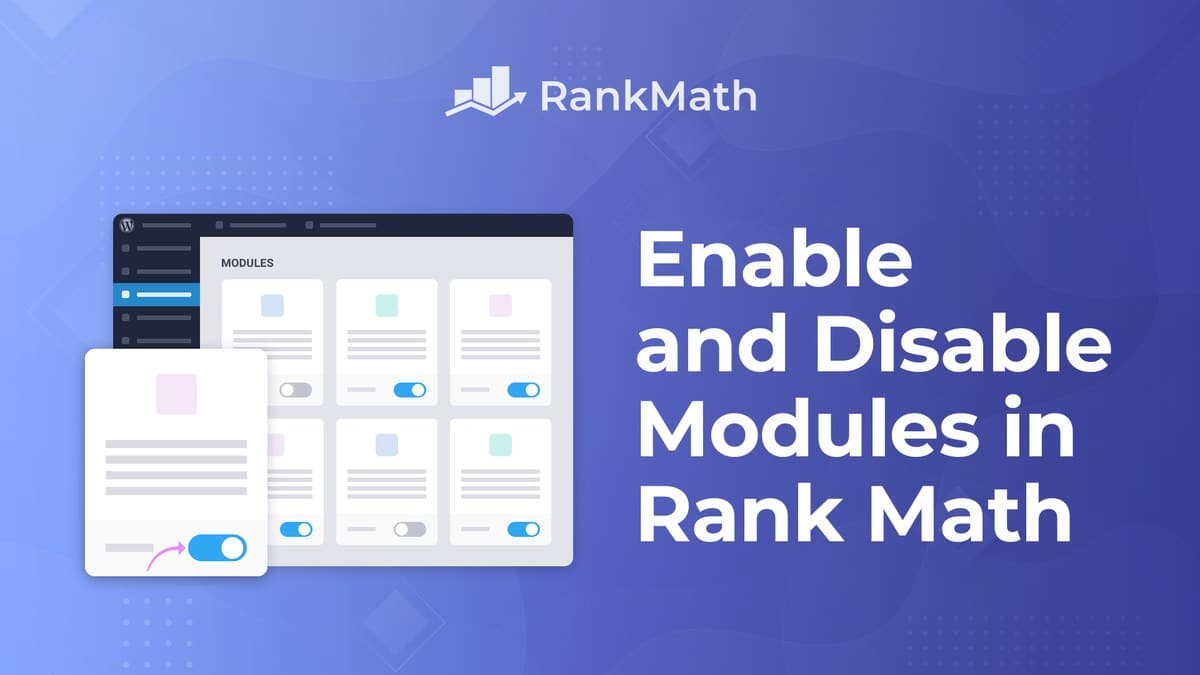
- Turn off modules you do not need. Local SEO, WooCommerce SEO and podcast support all load code you may never use.
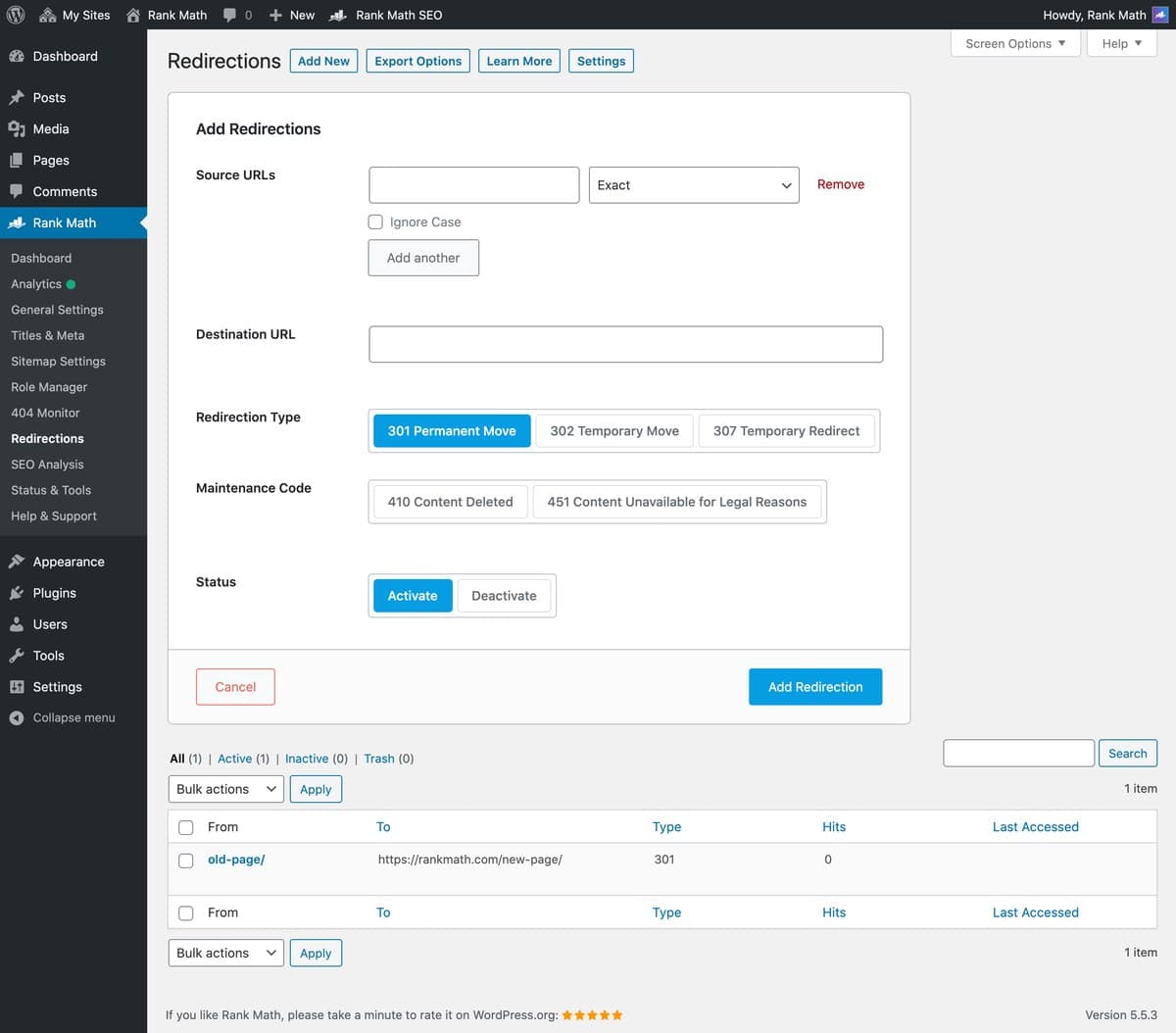
Yoast Premium stores redirects in its own tables, so if you were on free Yoast you never had redirects to import in the first place. In that case the Rank Math redirection manager is simply a new free feature you did not have before.
Five Mistakes That Cost People Traffic
- Running both plugins at once. The most common one. Both write title tags, meta descriptions and Open Graph tags, so crawlers see duplicates and your snippet can get suppressed. Import, verify, then remove Yoast.
- Deleting Yoast before importing. Rank Math reads Yoast's data out of the database. Delete the plugin first and, depending on how it cleans up, you may have nothing left to import.
- Skipping the spot check. The import is reliable, but software is still software. Custom post types and older page builder content are where the occasional gap shows up.
- Letting the new sitemap index everything. Rank Math's defaults are not Yoast's. If you had tag and author archives excluded, confirm they still are.
- Changing permalinks at the same time. Do one thing at a time. If rankings move, you want to know which change caused it.
Which Version Do You Need?
Start on Rank Math Free. It already covers everything above: the Yoast importer, redirections, the 404 monitor, schema, sitemaps and unlimited focus keywords. Most blogs never need more.
Upgrade to PRO later if you want keyword rank tracking, the 840 plus schema builder or Content AI. The discount applies automatically through the offer page, there is no coupon code to hunt for.
Switching From Yoast to Rank Math, Frequently Asked Questions
Will I lose rankings if I switch from Yoast to Rank Math?
No, not if you import properly. Your titles, meta descriptions, focus keywords and canonical URLs carry across unchanged, so Google sees the same pages with the same metadata. I migrated this blog with posts already ranking and saw no drop. Rankings move when people change permalinks or leave both plugins active, not because of the plugin itself.
Do I need to uninstall Yoast before installing Rank Math?
No, and you should not. Rank Math reads Yoast's data out of the database during the import, so Yoast must stay installed until the import finishes. Deactivate and delete it only after you have verified your metadata came across.
Can I run Rank Math and Yoast at the same time?
No. Both plugins write title tags, meta descriptions and Open Graph tags, so running them together outputs two of everything. That confuses crawlers and can suppress your search snippet. Keep Yoast active only long enough to import.
How long does the migration take?
About ten minutes on a normal blog, including the backup. The import itself runs in under a minute for a few hundred posts and a few minutes for several thousand. The part that takes longest is spot checking your important pages, which is worth doing properly.
Does the import include my Yoast redirects?
Yes, if you had Yoast Premium. Its redirects import straight into the Rank Math redirection manager. Free Yoast has no redirect manager, so there is nothing to import, and the Rank Math one is simply a feature you gain.
Will my focus keywords transfer?
Yes. Yoast's focus keyphrase imports as the Rank Math focus keyword. Rank Math allows unlimited focus keywords per post against Yoast's one free or five in Premium, so you can add secondary keywords afterwards.
Does Rank Math work with Elementor and Divi?
Yes. Rank Math has a native SEO panel inside both builders, so you can edit the title, description and focus keyword without leaving the builder. PRO also converts Elementor and Divi accordion widgets into FAQ schema automatically.
What happens to my sitemap?
Rank Math generates its own sitemap at /sitemap_index.xml, the same URL Yoast used, but the contents follow Rank Math's settings rather than Yoast's. Check which post types and taxonomies are included, then resubmit the sitemap in Search Console.
Is Rank Math free?
Yes. Rank Math Free is a complete SEO plugin with no time limit, and it covers everything in this migration guide. PRO adds keyword rank tracking, the 840 plus schema builder and Content AI from $7.99 per month billed yearly, but you do not need it to switch.
Can I switch back to Yoast if I do not like it?
Yes. Yoast has its own importer that reads Rank Math data, so the move works in both directions. This is the real reason the backup matters less than people fear, though you should still take one.
Should I switch if my site is already ranking well?
Only if you want something Rank Math offers and Yoast does not, such as free redirects, a 404 monitor or rank tracking. A plugin swap does not improve rankings by itself. If Yoast is working and you do not need those features, there is no urgency.
More Rank Math Guides on Blogger Tutor
- Rank Math vs Yoast, Which SEO Plugin Is Actually Better?
- Rank Math Review, Is Rank Math Pro Actually Worth It?
- Rank Math Coupon Code, All Live and Expired Sales
- Rank Math Instant Indexing, How to Index Your Posts Faster
- Rank Math vs SEOPress, Side by Side Comparison
Disclosure: I am part of the Rank Math affiliate programme and earn a small commission if you buy through the links on this page, at no extra cost to you. Everything in this guide works on the free version. Last verified 21 October 2026. You can read exactly how I test, verify and update everything on this site.